What makes VideoCompress.dev different from the usual online converter is where the work happens: nothing is uploaded. The file is decoded and re-encoded by your own machine using the browser's WebCodecs API, and no copy of it is ever sent anywhere. You can verify this by opening devtools and watching the network tab while you compress — there is no upload request, because there is no server to upload to. That also means there is no queue, no host-imposed size cap, and no file of yours sitting in someone else's storage.
Because the processing is local, the tool also works with no network at all. A service worker caches the application shell, so once you have opened it, it keeps working offline.
VideoCompress.dev also includes tools that do not convert anything:
• Video Inspector — reads a file's container, video and audio codecs, bitrate, resolution, frame rate and keyframe interval, and reports them directly in the browser. It is a read-only analysis tool: nothing is re-encoded and nothing is produced.
• Size ↔ length calculator — works out how long a video fits in a given file size at a given quality, and the reverse, before you compress anything.
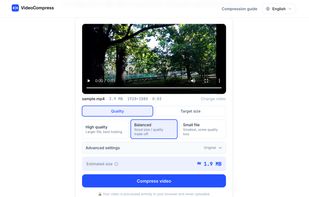
On top of that it does the expected work: compress to a target size in MB or by quality preset, batch process many files at once, trim, convert MOV to MP4, extract audio to MP3, and remove audio.
The compression path is routed per file. If the source already meets your target it copies the encoded samples rather than re-encoding. If the container is one browsers cannot read (AVI, FLV, WMV) but the codec inside is decodable, it losslessly rewraps first. Otherwise it transcodes with WebCodecs, using the machine's hardware encoder where there is one, and falls back to ffmpeg.wasm only when nothing else applies. Measured on identical clips, the WebCodecs path runs 7.5–10.1× faster than the ffmpeg fallback.
Handles MP4, MOV, WebM, MKV, AVI and more. Free, no account, no watermark. Interface available in 7 languages.







 Danilo_Venom added VideoCompress.dev as alternative to Free Video Compressor, Video Compression, GetCompress and TinyFast
 breezeszfeng added VideoCompress.dev as alternative to Clideo