

Voxfox icon
Voxfox icon

Voxfox

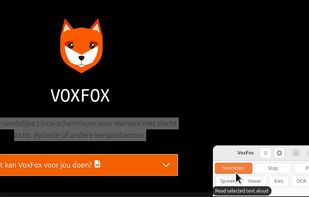
A Linux accessibility tool that reads selected or hovered text aloud, transcribes speech into typed text, and OCRs PDFs, images, and screen regions. It provides voice and speed selection, two language slots, global shortcuts, and local speech transcription.
Voxfox screenshot 1

Cost / License

Application type

Platforms

  • Linux
  • Fedora
  • Ubuntu
  • Debian
1like
0articles

Features

Properties

  1.  Lightweight
  2.  Privacy focused

Features

  1.  OCR
  2.  Text to Speech
  3.  No Tracking
  4.  Translator
  5.  Speech to text
  6.  Multiple languages

Voxfox News & Activities

Highlights All activities

Recent activities

Voxfox information

  • Developed by

    NL flagAlt-F4
  • Licensing

    Open Source (GPL-3.0) and Free product.
  • Written in

  • Alternatives

    11 alternatives listed
  • Badge

    Get an embeddable badge for Voxfox
  • Supported Languages

    • English
    • Dutch
    • French
    • German
    • Finnish
    • Turkish
    • Arabic
    • Chechen
    • Greek
    • Spanish
    • Persian
    • Hungarian
    • Indonesian
    • Japanese
    • Romanian
    • Swedish
    • Ukrainian
    • Chinese

AlternativeTo Categories

OS & UtilitiesOffice & ProductivityEducation & ReferenceAudio & Music

GitHub repository

  •  1 Stars
  •  0 Forks
  •  0 Open Issues
  •   Updated  
View on GitHub
Voxfox was added to AlternativeTo by Daniel-2304 on and this page was last updated .
No comments or reviews, maybe you want to be first?

Official Links

What is Voxfox?

VoxFox is a free and open source accessibility app for Linux that combines text-to-speech (TTS), a screen reader, voice dictation (speech-to-text) and OCR text recognition in one simple tool. It is built for people with dyslexia, low vision or visual impairments, RSI, and anyone who finds reading or typing difficult.

Read text aloud: select or hover over any text on your screen and VoxFox reads it out loud instantly, with no copying or pasting. Use it to listen to web pages, articles, emails, e-books and documents.

Voice typing: speak and your words are typed as text in any application. Write emails, chat messages, notes or documents hands-free, just by talking.

OCR text recognition: extract text from PDFs, scanned documents, images, screenshots or any selected screen region, then have it read aloud or copy it.

Private and offline: all speech recognition, voice synthesis and OCR run locally on your computer. No cloud, no account, no subscription, and your voice and documents never leave your device.

VoxFox works on most Linux desktops, including GNOME, KDE Plasma, Cinnamon, XFCE and MATE, on Debian, Ubuntu, Linux Mint and other Debian-based distributions. It is licensed under the GPL and completely free to use.

Voxfox Videos

