




Zen Browser
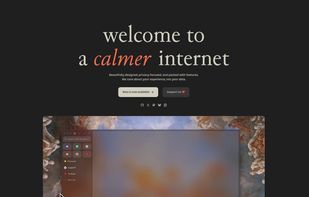
Experience a privacy-focused, open-source browser rich with features like vertical tabs, Split View, Zen Glance, and extensive security protocols. Built on Firefox, it's currently in beta, emphasizing privacy and adaptability, with future plans for horizontal tabs.

Cost / License
- Free
- Open Source (MPL-2.0)
Application type
 EU
EUPlatforms
- Mac
- Windows
- Linux
- Arch Linux
- Flathub
- Flatpak
- AppImage


Features
Zen Browser News & Activities
Recent News
- Fla published news article about Zen Browser
 Zen adds Mozilla account sync for Spaces across devices
Zen now lets users sync Spaces, folders, tabs, and more across devices using a Mozilla account. Whe...
- Fla published news article about Zen Browser
 Zen Browser 1.21b adds Space Routing and updates to Firefox 151.0.4
Zen Browser 1.21b introduces Space Routing, a feature that allows users to route links to specific ...
- Maoholguin published news article about Zen Browser
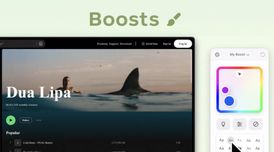 Zen Browser launches a Boosts feature to customize colors, fonts and styles on any website
Zen Browser’s latest update introduces Boosts, a new feature that lets users customize how any webs...


Recent activities
- L-M liked Zen Browser
- alzym4813 liked Zen Browser
- dimashahbari liked Zen Browser
- Shadow5964 liked Zen Browser
- magicscraper liked Zen Browser
- Suman-Kathayat liked Zen Browser
- Geroyuni liked Zen Browser
- ardral liked Zen Browser


Featured in Lists

This guide is designed for anyone looking to take greater control of their digital life by choosing open-source...
How are you? In this list I bring you a variety of alternative software to those from Microsoft, and also that these...

What I use to protect my privacy that I would actually recommand to everyone to try as it does not requiere a lot of...
What is Zen Browser?
Zen Browser information
Developed by
 Mauro Baladés
 Licensing
Open Source (MPL-2.0) and Free product.Written in
Rating
Average rating of 4.5Alternatives
119 alternatives listedNews
11 news article related to Zen BrowserBadge
Get an embeddable badge for Zen BrowserSupported Languages

AlternativeTo Categories
Web Browsers, Education & Reference, Photos & Graphics, Office & ProductivityGitHub repository
- 44,435 Stars
- 1,748 Forks
- 679 Open Issues
- Updated


Comments and Reviews
Zen browser is an amazing browser. I switched to it from Arc after Chromium started suppressing adblockers. It has so many good features and is made by just one independent developer, which makes it an awesome alternative to Chromium-based browsers.
I'm glad this browser exists. It picked up the creative UI ideas from the abandoned Arc browser, and kept it maintained on all platforms, with the added benefit of now being open source and Firefox-based.
The vertical tab system, and how they combine the concept of tabs and bookmarks in one is just great and intuitive. You can also denote different spaces and basically 'swipe' between them (e.g. Main, Work, Music), and they don't feel quite as awkward to go between as what other browsers have done. It all just clicks really well.
Meanwhile I saw other browsers responded to the popularity of Arc/Zen by just slapping a half-baked vertical tab mode without thinking about any of the rest of the design properly. They couldn't possibly do what Arc did because they're still thinking in the old way browser UIs work.
I also consider being Firefox-based rather than Chromium a big plus, because it helps keep the browser ecosystem more varied and inherently avoids any anti-consumer behavior such as recent extension changes by Google.
The only caveat I can put here is that all the innovation was done by Arc, and this browser simply copies it well. I'm not sure there will be new exciting ideas led by the Zen maintainer and contributors after they get full parity with Arc.
My #1 browser. Easily switching between user identities is a game changer.
Gorgeous, fast, customizable, private. What's not to like?
This app deserves more attention than it gets. It's basically like the Arc browser, if it wasn't made by a shady developer. Beautiful, minimalist UI to replace Firefox's clunky, outdated one
This browser deserves a 5 star rate but not allowing to place tabs horizontally on top is really annoying. Maybe in the future they will recover from insanity.
Open-source, modern and customizable. Probably one of the best browser.