Apps tagged with 'Parental Control' Page 6 of 6

All apps in Apps tagged with 'Parental Control' category. Use the filters below to narrow down your search. 
Copy a direct link to this comment to your clipboard
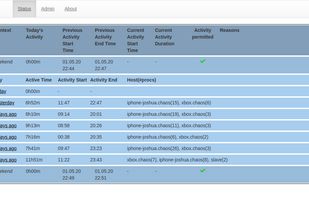
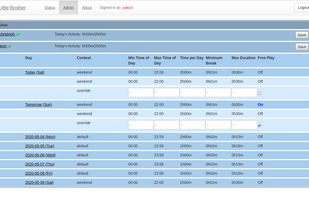
  1. LittleBrother is a simple parental control application monitoring specific processes on Linux hosts to monitor and limit the play time of (young) children.

    Cost / License

    • Free
    • Open Source

    Application type

    Platforms

    • Linux
    LittleBrother screenshot 1
    LittleBrother screenshot 1
    LittleBrother screenshot 2
    +1
    LittleBrother screenshot 3
    1 alternatives
  2. KidFirst Phone is an MDM-based Android application management solution designed to protect kids from mobile and screen addiction. Mobile addiction is a growing concern among parents today. With increasing screen time, kids are often exposed to inappropriate content and face...

    Cost / License

    • Free
    • Proprietary

    Application type

    Platforms

    • Android
  3. Qoli.AI icon
     1 like

    A digital monitoring platform serving both families & businesses. It helps parents protect children online while enabling organizations to manage device usage, track productivity & ensure compliance.

    Cost / License

    • Paid
    • Proprietary

    Application type

    Platforms

    • Online
    • Software as a Service (SaaS)
    • IN flagIndia
    Qoli.AI screenshot 1
    3 alternatives
  4. Block ads, malware, adult and other unwanted content with our premium DNS servers. Bypass censorship and access DNS based restricted websites.

    Cost / License

    • Free
    • Proprietary

    Application type

    Platforms

    • Software as a Service (SaaS)
    • US flagUnited States
    DnsAdBlock screenshot 1
    DnsAdBlock screenshot 1
    DnsAdBlock screenshot 2
    +2
    DnsAdBlock screenshot 3
    12 alternatives
  5. FamilyProtect is parental control software for Windows PCs. It filters web content at the DNS layer rather than through a browser extension or a single browser's settings, so one policy covers Chrome, Edge, Firefox, portable browsers run from a memory stick, game launchers...

    Cost / License

    • Paid
    • Proprietary

    Application type

    Platforms

    • Windows
    • GB flagUnited Kingdom
    Parent dashboard: every family PC and whether it is protected right now
    Blocked sites, grouped by severity and written in plain language
    What the child sees when a site is blocked
    +1
    Setup: open one link on the child's PC
  6. PresenceLock puts a password on individual Windows apps, the way a phone lets you lock a single app. You choose which apps to protect - banking, mail, chat, a journal, work tools - and each one asks to be unlocked before it will open.

    Cost / License

    • Paid
    • Proprietary

    Platforms

    • Windows
    • IL flagIsrael
    A protected app asks to be unlocked before it will open, with Windows Hello or a PIN
    Choose how you unlock: Windows Hello, a PIN, a trusted Wi-Fi network, or your phone nearby over Bluetooth
    Keep chosen apps locked only during the hours and days you set
    +1
    Pick which installed apps are protected, one switch each
    8 alternatives
  7. OneLimit icon
     Like

    One daily screen-time budget for kids that counts down across iPhone, PS5, Nintendo Switch, Xbox, and Windows PC - when time is up, it's up everywhere.

    Cost / License

    • Freemium
    • Proprietary

    Application type

    Platforms

    • iPhone
    • iPad
    • Apple Watch
    • DE flagGermany
    • European Union flagEU
    OneLimit screenshot 1
    OneLimit screenshot 2
    OneLimit screenshot 3
  8. Time Boss icon
     2 likes

    Time Boss is a universal time management tool that performs a range of functions from setting time limits for working on the PC to collecting usage statistics, displaying remaining time and managing lists of forbidden/allowed programs and websites.

    Cost / License

    • Paid
    • Proprietary

    Application type

    Platforms

    • Windows
    Time Boss screenshot 1
    Time Boss screenshot 1
    Time Boss screenshot 2