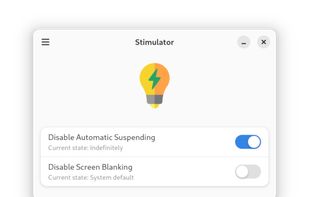
This is a simple app that prevents the desktop environment (DE) from sleeping while its on. It should work regardless of the used DE thanks to the Inhibit portal.


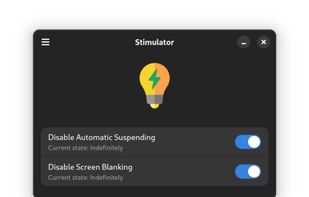
This is a simple app that prevents the desktop environment (DE) from sleeping while its on. It should work regardless of the used DE thanks to the Inhibit portal.


PowerToys Awake is a tool for Windows designed to keep a computer awake without having to manage its power & sleep settings. This can be helpful when running time-consuming tasks, ensuring that the computer does not go to sleep or turn off its screens.


NeverNap prevents your Mac from sleeping or activating the screensaver. For 5 minutes or indefinitely. Perfect for presentations or long processes.

Keep your Mac awake for presentations, webinars, live streaming, long downloads, and more. Maintain workflow without interruptions - simple and effective!.


Need a quick coffee break ? But don't want your PC to sleep or Teams to go idle? Stay Awake keeps your screen on by keeping its own tab active. No need to change OS settings.


Use Mac with external monitors with lid closed even when you are on battery power. Play music, airplay movies, download/upload lid closed. Most modern and up to date app.


One of the first webpages that used the Wake Lock API packaged in the nosleep.js script to prevent a device from sleeping.


Invisible, smart mouse movements prevent your Mac from sleeping and keep the active status in Slack, Teams, and more.
Online all the time? It can't be easier!


A small GNOME utility application to send Wake On LAN (WoL) magic packets to devices in a network.


Coffee allows you to keep the display awake without having to change the device settings. It can be toggled at various places:

Wakey is my version of application which keeps your PC awake. It was inspired by Awake utility which was a part of Microsoft's PowerToys.


MouseJiggle cycles through your screens when away and keeps your Screens, Microsoft Teams, Skype, Games & Outlook active & green. It will prevent screen locking until you switch it off or close your notebook/desktop or shut down.