WakeWhile is a free and open source Windows utility that stops your PC from
going to sleep while a specific application is genuinely doing work — and then
lets it sleep again the moment that work finishes.
Unlike Caffeine, PowerToys Awake, Don't Sleep and every other keep-awake tool,
WakeWhile is not a manual on/off switch. There is nothing to remember to turn
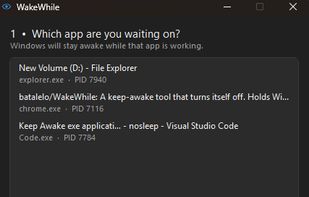
back off. You pick an app from a list of your open windows, press one button,
and it watches that app and every process it has spawned, measuring four things
once a second:
- CPU, as a share of one core rather than of the whole machine
- Disk read and write throughput
- Network socket traffic
- Memory activity (page faults)
Windows stays awake while any of those crosses its limit, and the lock releases
itself once everything has been quiet long enough. Every limit is an adjustable
slider with the app's live reading printed underneath it, so you can see exactly
what your app is doing before you commit to anything.
Because it follows the whole process tree, it works correctly with Chrome,
Visual Studio Code, Cursor, Antigravity, Discord and other Electron apps, where
the window you clicked belongs to a parent process that sits near idle while a
child does the real work.
Typical uses: overnight renders in Blender, DaVinci Resolve or Premiere Pro;
long compiles in Visual Studio or IntelliJ; large uploads, downloads and
backups; and AI coding agent sessions such as Claude Code, which are mostly
spent waiting on the network — exactly the situation in which a PC decides to
sleep.
It also writes a plain text log, one line per second, recording which signal
kept the machine awake and what the reading was. So "why won't my computer go
to sleep?" always has an answer you can read.
WakeWhile is a single 90 KB executable written in C. No installer, no
dependencies, no .NET or Visual C++ runtime, no background service, no
administrator rights, and no registry keys. Delete the file to uninstall it.
Every release is built by GitHub Actions from public source and publishes its
SHA-256, so the binary can be verified against the code that produced it.



 batalelo