Apps tagged with 'Batch Image Resize'

All apps in Apps tagged with 'Batch Image Resize' category. Use the filters below to narrow down your search. 
Copy a direct link to this comment to your clipboard
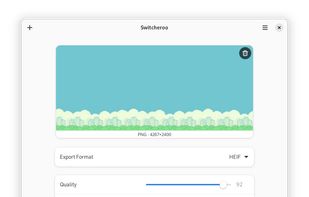
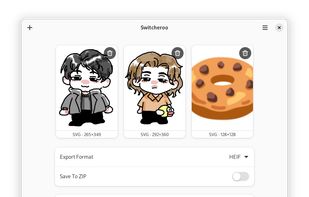
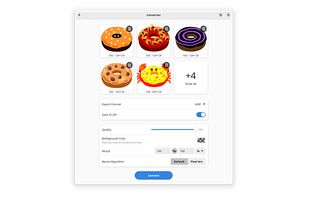
  1. Switcheroo is designed to give you a simple, quick, and easy-to-use tool to convert and manipulate your images in whatever way you like. It is built on top of the most advanced image editing libraries, ImageMagick.

    Cost / License

    Application type

    Platforms

    • Linux
    • Flathub
    • GNOME
    • Linux Mobile
    • US flagUnited States
    Switcheroo Image Manipulation screenshot 1
    Switcheroo Image Manipulation screenshot 1
    Switcheroo Image Manipulation screenshot 2
    70 alternatives
  2. BIMP icon
     2 likes

    With BIMP you can apply a set of manipulations to an entire group of images! It provides an easy to use interface and a lot of batch functions.

    Cost / License

    • Free
    • Open Source

    Application type

    Platforms

    • Mac
    • Windows
    • Linux
    • GIMP
    • IT flagItaly
    • European Union flagEU
    BIMP screenshot 1
    BIMP screenshot 1
    BIMP screenshot 2
    +1
    BIMP screenshot 3
    73 alternatives
  3. Photopus Pro is an easy to use batch image processing to simplify the process to convert, add watermarks (text and image), resize, transform, touch-up, rename, and apply effects to your digital images.

    Cost / License

    • Paid
    • Proprietary

    Application type

    Platforms

    • Windows
    • MY flagMalaysia
    Step 1. Add Photos
    Step 2. Add Filters
    Step 3. Output
    8 alternatives
  4. ImageSize icon
     Like

    Resize, convert and rename thousands of image files in batch mode with ImageSize. Resize your images to reduce their size on disk and optimise them for a specific usage like sending via email or posting online.

    Cost / License

    • Paid
    • Proprietary

    Platforms

    • Mac
    • RO flagRomania
    • European Union flagEU
    ImageSize screenshot 1
    ImageSize screenshot 1
    ImageSize screenshot 2
    +2
    ImageSize screenshot 3