Apps tagged with 'Redaction'

All apps in Apps tagged with 'Redaction' category. Use the filters below to narrow down your search. 
Copy a direct link to this comment to your clipboard
  1. Velum Privacy icon
     2 likes

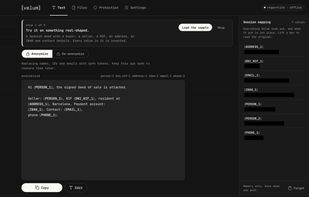
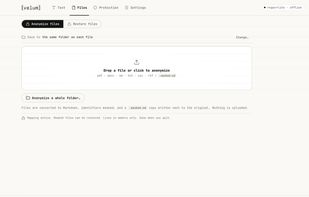
    Masks personal data in text and files before it reaches ChatGPT, Claude or any AI, then restores it in the reply, running entirely on your own device.

    Cost / License

    • Freemium
    • Proprietary

    Platforms

    • Mac
    • Google Chrome
    • Jira
    • Brave
    • Confluence
    • Mozilla Firefox
    • Linux
    • Arch Linux
    • Ubuntu
    • Debian
    • ES flagSpain
    • European Union flagEU
    Text masking
    Files masking
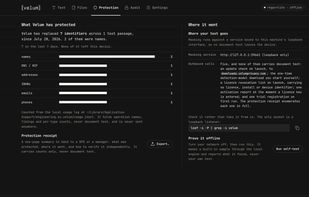
    Protection stats
    +2
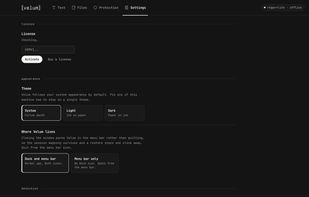
    Settings
    31 alternatives
  2. FramedShot icon
     1 like

    FramedShot is a free Chrome screenshot extension for creating polished, privacy-friendly screenshots. Capture, frame, annotate, redact, and export screenshots directly in your browser without an account, uploads, or watermarks.

    Cost / License

    • Free
    • Proprietary

    Application type

    Platforms

    • Google Chrome
    General settings for the images editor
    The spacing settings
    The collage feature within the editor
    21 alternatives
  3. PermanentRedaction is a rule-based PDF redaction tool that permanently removes sensitive text and generates a verification report confirming what was redacted.

    Cost / License

    • Freemium
    • Proprietary

    Application type

    Platforms

    • Online
    • Software as a Service (SaaS)
    • US flagUnited States
    PermanentRedaction screenshot 1
    The upload screen allows users to create a new redaction job by dragging and dropping digitally issued PDF files or selecting them from their computer. Users can optionally provide a job title, and the system securely uploads the documents and queues them for redaction processing.
    The redaction editor allows users to define redaction rules using keywords or regular expressions while viewing a live preview of the document. Matching text is highlighted in the preview so users can verify results before finalizing permanent redactions.
    +3
    After processing is complete, the Outputs screen provides access to the permanently redacted PDF and the corresponding verification report. Users can view or download the files and, if necessary, return to revise redactions before the retention period expires.
    6 alternatives
  4. BlurSnap icon
     Like

    BlurSnap is a Windows screenshot utility built around an inverted workflow: instead of capturing a screen and then hunting for sensitive details to hide, the capture opens fully blurred and you paint to reveal only the parts you actually want to show.

    Cost / License

    • Paid
    • Proprietary

    Application type

    Platforms

    • Windows
    • UA flagUkraine
    Press the global hotkey and select the area to capture — anything on screen, here a CRM account list.
    The capture opens fully blurred. Brush over only what you want visible — here three revenue figures and their status.
    Press Done or Enter and the result is copied to the clipboard and saved. Everything you didn't reveal stays hidden.
    8 alternatives