


CleanShot X
28 likes
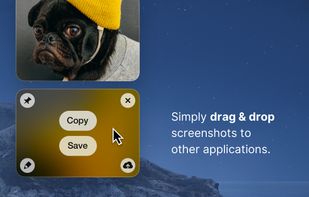
Capture and record screens on Mac with CleanShot X, featuring seamless recording, custom keyboard shortcuts, customizable wallpapers, Quick Access Overlay, and Desktop icon toggle for a tidy user interface.

Cost / License
- Pay once or Subscription
- Proprietary
Application typeApplication types
 EU
EUPlatforms
- Mac


Features
CleanShot X News & Activities
Highlights All activities
Recent News
- POX published news article about CleanShot X
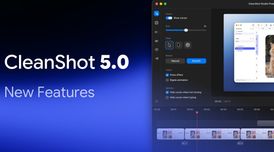 CleanShot X 5.0 introduces Studio Mode to turn a screen recording into a polished video
CleanShot X 5.0 is a major macOS release for screenshot capture and screen recording. It introduces...
- Fla published news article about CleanShot X
 CleanShot 4.8 introduces editable window screenshots and new color picker
CleanShot new update 4.8 introduces editable window screenshots, enabling users to change or remove...
- Fla published news article about CleanShot X
 CleanShot implements Two-Factor Authentication
CleanShot has enhanced its security features by introducing two-factor authentication (2FA) for use...


Recent activities
 ziadeh added CleanShot X as alternative to Snapline
- Drew-Hoover liked CleanShot X
 MUZEEBURRAHAMAN added CleanShot X as alternative to GoFully
 PB2025 added CleanShot X as alternative to FullGrab
 PiftoWorks added CleanShot X as alternative to Capture Core
 c17s5qhu added CleanShot X as alternative to Zipline Android
The UI is so simple and intuitive to use. But I've been experiencing the performance issue that the screen recording is choppy recently. I hope it'll be solved soon. Love it.
- noradaiko liked CleanShot X
- Ubell liked CleanShot X


What is CleanShot X?
CleanShot X Videos
CleanShot X information
Developed by
 MakeTheWeb
 Licensing
Proprietary and Commercial product.Pricing
One time purchase ranging between $20 and $29, and / or subscription ranging between $4 and $10 per month.Rating
Average rating of 4.8Alternatives
257 alternatives listedNews
6 news article related to CleanShot XBadge
Get an embeddable badge for CleanShot XSupported Languages


Comments and Reviews
You can't get a trial-version of this app and skip it. But I can say, you will mourn afterwards if you just ignored it.
At least I almost did. 30 bucks for a capturing tool, without a trial-version? This made me really sceptical!
But after...
... When it comes to good looking, lightweight and smart screen-capturing tools with good annoations Cleanshot X has become my new favourite screen capturing tool.
Everyone who loves to make fast annotations, screenshots and videos... you should think about buying it. The creator of this app offers 30days money back if you are not satisfied.
But I can tell, currently Cleanshot X is hard not to satisfy.
The UI is so simple and intuitive to use. But I've been experiencing the performance issue that the screen recording is choppy recently. I hope it'll be solved soon. Love it.
Why does the official website link take you to an affliate page? it's https://cleanshot.com/
CleanShot X has quickly become one of my favorite tools. I use it for everything, from capturing clean screenshots and scrolling pages to recording quick tutorials for work. It’s fast, reliable, and packed with features that make everyday tasks so much easier.
I love lifetime deals, so naturally CleanShotX has been a big winner for me. I've tried a few others (xSnapper, Mac default, etc) and nothing quite measured up to it.
I have customized my keyboard shortcuts a bit, and it takes seconds to OCR text or grab and markup a snippet now. (I didn't realise how much text on the web wasn't 'copyable' until I had this shortcutted)
I also was able to setup a custom subdirectory on a domain to make it even easier to share.
Markup features look a bit like MS Paint, wish they looks classier, but still a small thing when the app performs everything really solidly. Highly recommend this one!