


2FA Authenticator (2FAS)
51 likes
2FAS Authenticator is a simple and free application for Two Factor Authentication (2FA Authentication) which generates Time-based One-time Passwords (TOTP) and PUSH authentication*.
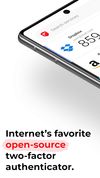

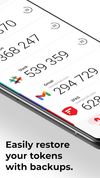

+3


Cost / License
- Free
- Open Source
Application type
Platforms
- Android
- iPhone
- Android Tablet
- iPad
- Google Chrome
- Mozilla Firefox

Features
2FA Authenticator (2FAS) News & Activities
Highlights All activities
Recent News
No news, maybe you know any news worth sharing?
Share a News TipRecent activities
- namdx1987 liked 2FA Authenticator (2FAS)
 pxoqxo added 2FA Authenticator (2FAS) as alternative to 2faConsole
- caglary added 2FA Authenticator (2FAS) as alternative to Coffer
 jsussanchez added 2FA Authenticator (2FAS) as alternative to Easy Pass Login
 vidus6com added 2FA Authenticator (2FAS) as alternative to Authenticator by Vidus6
 fob added 2FA Authenticator (2FAS) as alternative to Fob
 TheEmperorArt added 2FA Authenticator (2FAS) as alternative to KeyDepot
 caglary added 2FA Authenticator (2FAS) as alternative to lockstep
- niksavc liked 2FA Authenticator (2FAS)
 fthomys added 2FA Authenticator (2FAS) as alternative to Tokn


Featured in Lists
A list with 68 apps by RemovedUser without a description.
List by RemovedUser with 68 apps, updated
Tired of the same old browsing experience? It's time to supercharge your web adventures with a collection of...
List by Muhammad Farag with 15 apps, updated
A list with 5 apps by RemovedUser without a description.
List by RemovedUser with 5 apps, updated


What is 2FA Authenticator (2FAS)?
2FA Authenticator (2FAS) information
Developed by
 Two Factor Authentication Service, Inc.
 Licensing
Open Source and Free product.Rating
Average rating of 4.6Alternatives
81 alternatives listedBadge
Get an embeddable badge for 2FA Authenticator (2FAS)Supported Languages
AlternativeTo Categories
Security & Privacy, Web Browsers, Backup & SyncApple AppStore
- Updated
- 4.72 avg rating


Comments and Reviews
The browser extension and future plan of desktop app makes it a better FOSS alternative to other TOTP Apps. Only complain is that the exports should be as json but its currently as .2fas file extension. Though they are already working on it.
The only authenticator with a browser extension companion but there is no way to sync/backup tokens to a private cloud (for example Nextclud). They prefer to support Google Drive instead of WebDAV
Most open-source apps upload via Android backup. Since it's client-side encrypted, it wouldn't really matter where it was uploaded, and still offers local backups that can be migrated anywhere.
I just downloaded and tested it. It allows you to share to anywhere (i.e. saved Telegram or Signal, email, cloud drive), straight from the app.
The only downside I see is that it is .2fas rather than .json which many others use. But they are currently working on it.
I Like it because you can backup on local everywhere you want
Useful 2FA app on both desk/laptop and mobile.
A good alternative to other open-source authenticators like Bitwarden authenticate and Aegis.
It allows manual backups to wherever (i.e. Telegram, Signal, email, cloud drive), and auto backups to Google Drive. Even if you don't like Google, it is client-side encrypted so doesn't matter much and can be an additional safety.
The extension seems worthless to me. Nothing but decreasing security. The only real downside I see is that the exports are .2fas, rather than a more standardized Json. But it looks like they are currently working on that issue: https://github.com/2fast-team/2fast/labels/planned%20%F0%9F%93%91
This is the best app of its kind, I loved the UI and the UX. Been using it since its inception. I haven't looked into another MFA app (don't need to). Thank You. 🙏
Super simple to use with a very handy option to backup your keys to Google Drive. Has biometric authentication as well as a pin lock. Super useful when changing phones since the backups are instantly restored. Also has an option to show you the next key during the last 5 seconds of the current one expiring as well as a browser extension that I personally don't use so I can't guarantee about it. Overall a great authenticator app.