




Acronis True Image
248 likes
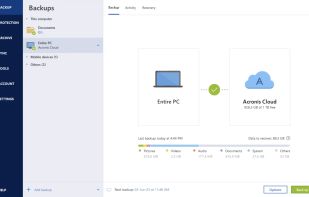
Full image and file backups, disk cloning, and partition management across Windows, macOS, iOS, and Android with ransomware protection, cloud storage, fast recovery, web-based remote management, and mobile device support for flexible, secure data protection.

Cost / License
- Pay once
- Proprietary
Application typeApplication types
Platforms
- Mac
- Windows
- Android
- iPhone
- Android Tablet
- iPad


Features
Acronis True Image News & Activities
Highlights All activities
Recent News
No news, maybe you know any news worth sharing?
Share a News TipRecent activities
 sukritis added Acronis True Image as alternative to Zmanda
- kalashnikov liked Acronis True Image
- sredfred liked Acronis True Image
- LinuxGuy added Acronis True Image as alternative to AnyDistro-Disk-Imager
 blazex added Acronis True Image as alternative to File Backup Tool
 RobinHamilton added Acronis True Image as alternative to BigMind DR
 tkosoft added Acronis True Image as alternative to TKO Backup
 alexandrarumiantseva added Acronis True Image as alternative to NAKIVO Backup & Replication
- HZI5507 liked Acronis True Image
 ATAC-Helicopter added Acronis True Image as alternative to VaultSync


Featured in Lists
Clean, small, use! For activation use: [https://massgrave.dev/](https://massgrave.dev/) or...
List by littlebighorse with 53 apps, updated

A list with 69 apps by vguerreiro without a description.
List by vguerreiro with 69 apps, updated

Backup and restore on PC !
List by Shoji VR with 11 apps, updated


What is Acronis True Image?
Acronis True Image Videos
Acronis True Image information
Developed by
 Acronis
 Licensing
Proprietary and Commercial product.Pricing
One time purchase (perpetual license) ranging between $50 and $125.Rating
Average rating of 2.1Alternatives
163 alternatives listedBadge
Get an embeddable badge for Acronis True ImageSupported Languages
AlternativeTo Categories
Backup & Sync, OS & Utilities, Security & Privacy, System & HardwareApple AppStore
- Updated
- 4.16 avg rating


Comments and Reviews
So I really like Acronis True Image, not just because it's a solid backup tool, but it just works! I've tried a few disk imagers, many of which have issues re-imaging a machine that's different hardware or otherwise incompatible in the slightest. Not impressed when this happens as honestly it's a huge annoyance that the disk image can't detect that I have a better hard drive.
True Image just works, whether I have different hardware or the same. Some people will say it's not worth the price but if you're going to be doing backups and replacing hardware over time it's in my opinion the best tool. Other disk imagers are fine but they likely can't do this, or at least not as well.
I have been using Acronis True Image since the demise (take over by Symantec) of Drive Image (that's well over 10 years).
Drive Image (Powerquest) was the goto disk cloning software (just as Partition Magic was the partitioning tool of choice) until its purchase by Symantec.
Although, we could have gone to Ghost (largely rewritten using the PQ code), most of us had a bad experience with Ghost. Symantec made a mistake and instead of issuing DI as Ghost 9. Should have released it as Drive Image.
So many of us switched to Acronis True Image. This software was not nearly as useable as Drive Image but was superior to Ghost.
The primary (only) use of this software, back then, was to create disk images to assist in the building of standardised PC setups, and to create a back up of a working system (note data files were backed up separately - often using zip file storage (zip archives were and are ubiquitous, most back up software had proprietary file formats which sometimes made restoration difficult if your PC with the backup software wouldn't boot).
Since then, Acronis have bloated what was a simple piece of software and engaged in feature creep, so now not only is TrueImage, not a TrueImage but incorporates back up functionality (I nearly said Full Backup functionality), ransomware protection and cloud features and storage.
I'll say first of all that the Cloud storage (for back ups and archiving) was initially a great feature and provided a useful and fit for purpose functionality. That, however, was with the unlimited subscription.
The unlimited subscription has been terminated as of January 2019. Acronis of course are just the latest in a long line of suppliers to cease unlimited storage.
I contacted Acronis support to find out about transferring my existing back ups to another storage supplier (or downloading it to my own storage), I was told that I would have to restore the data and couldn't transfer it to different storage otherwise.
I later found out that this was incorrect as all backups can be downloaded from the Cloud storage area. The method provided is not really that good as the files are downloaded in a zip file. Once downloaded this way they are pretty useless, as depending on the backup size (e.g. a full back up of C & D drives on my main PC is about 3Tb), zip needs at least the size of the back up on the C: drive in order to unzip files. What would really be required is a way to download the mountable .tib archive file, so far I have been unable to find a way to do this (and Acronis support says you can't).
Anyway against my better judgement I got a new subscription with a reduced 1Tb of storage space. The maximum storage you can now purchase is 5Tb, this at a price that is more than double my previous 'Unlimited' subscription. And is more than the cost of a 5Tb HDD.
It seems to me that none of this solutions are now actually fit for purpose. The average PC drive is now in excess of 1Tb (My main Laptop has 4Tb (75% full), My kids each have 2Tb, and my desktop has 6Tb, I'll ignore mobile devices as they come with their own backup on Google drive or Samsung), with a 1Tb storage you cannot image the whole drive more than once, which means that you can only keep minor incremental back ups in the cloud. Particularly with a 5 device licence.
As far as the software goes, it still produces whole disk images, but is supposedly a full back up suite. You can schedule backups but you cannot create back up policies, if you schedule a backup it will overwrite the file each time, so if for example you want monthly whole drive images you have to create new backups each time. If you want to create monthly full back ups with weekly incrementals, on six month rotation you have to create a minimum of 36 schedule events. Worse still if you want to create weekly fulls and daily incrementals.
The standalone version is still ok at providing disk images and still provides the same functionality. As a back up suite on subscription, Acronis is pretty poor and inflexible. It was worth it with unlimited cloud storage but without is Unfit for Purpose, there are better products on the market (SyncBack Pro is a better back up software).
[Edited by M0d3rn15t, December 10]
[Edited by M0d3rn15t, December 10]
UPDATE: So the back ups can be downloaded from cloud storage, though once again this facility is not really fit for purpose.
With backups all in excess of 250 Gb (one is 2.5Tb) the download crashes before it completes. 'Resume' immediately completes the download leaving you with a corrupted file. The only way to get your data down from the cloud storage is to download it a small number of files at a time. As there is no way to gauge the size of the resulting zip file, you have no way of knowing if your attempt is going to be successful or not. It is all pretty much trial and error.
UPDATE: Active protection - on reboot this shows as Enabled/Active. When I come in in the morning however, the status page sits there with the message, "Connecting to Service..." indefinitely.
Does not work reliably.
If you are looking for something quick, something just plug and play then this is not it.
Free/trial or with license it will still force you to register /login to their cloud something. Considering I was doing a recovery of failing drive in a disconnected VM this was a hard miss.
It is one of the best tools in this field but one issue to watch out which made me use another tool called "Gs Richcopy 360 " as a backup and copy tool is that "Acronis "makes backup Data into a single large file, that can only be accessed via Acronis, and any corruption on this file means this file is unusable. Thanks
Acronis ATI has become terrible. I need to restore twice last year and neither times would it work. I checked the backup and it passed as working but ay attempt to restore failed. I spend the equivalent of days with support. They'd keep having me do the same thing again and again. Eventually, after more than a month, I just gave up and told them to stop trying.
The 2021 product is unusable with useless extra features that I don't want. The 2020 version switched to a new file forma .tibx which dropped most of the useful features.
I discovered, and this has been verified by many users, the differential backup doesn't work, to restore, for example, a third differential backup you need all the previous backups, 1 & 2 in the example. I.e. Differential is actually Incrememental.
Try and find out how to make an off site backup by copying s regular backup - you can't move or duplicate a backup.
One last example - ATI 2021 has new features one of which is "deduplication" yet I have tried going through my support agreement and through sales but no one can tell me what the are deduplication.
supports Incremental, Cloud, Scheduled backup, has Good UI, and supports Live CD but it is commercial