





Antigravity CLI
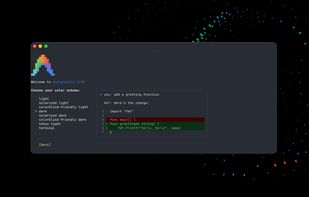
Terminal interface for developers with agentic multi-step reasoning, natural language commands, multi-file and codebase editing, tool invocation, seamless SSH workflow support, low resource use, and integrated settings sync with graphical environments for flexible operations.

Cost / License
- Freemium (Subscription)
- Proprietary
Application type
Platforms
- Mac
- Windows
- Linux


Features
Antigravity CLI News & Activities
Recent News
- Maoholguin published news article about Google Gemini
 Google launches Gemini 3.5 Flash, broader agentic app updates and new AI glasses
A few days ago, Google held Google I/O 2026, where it announced a broad set of AI updates across Se...
- POX published news article about Antigravity CLI
 Google incites developers to switch from Gemini CLI to the newly-launched Antigravity CLI
Google has announced it is discontinuing Gemini CLI, merging its functionality into the newly launc...


Recent activities
 Bobby-Coleman added Antigravity CLI as alternative to Oxide Terminal
- bnchndlr liked Antigravity CLI
 PredatorQ added Antigravity CLI as alternative to mini-swe-agent
 PredatorQ added Antigravity CLI as alternative to Crush CLI
- PredatorQ added Antigravity CLI as alternative to Zoo Code
- meowmiau liked Antigravity CLI
- PascalBajorat liked Antigravity CLI
 lamjed001 added Antigravity CLI as alternative to Freebuff
- tomasz-gonczar liked Antigravity CLI
I used to work with the Gemini CLI and MCP. After being forced to switch to Antigravity CLI, I'm really disappointed. There's still a lot missing, and the whole workflow is not that great. Unfortunately, it's still in alpha or beta, and it will surely take another 1–2 years before it's usable.


Featured in Lists
A list with 9 apps by rainman without a description.
What is Antigravity CLI?
Antigravity CLI information
Developed by
 Google
 Licensing
Proprietary and Freemium product.Pricing
Subscription ranging between $100 and $200 per month + free version with limited functionality.Alternatives
58 alternatives listedBadge
Get an embeddable badge for Antigravity CLISupported Languages


Comments and Reviews
I used to work with the Gemini CLI and MCP. After being forced to switch to Antigravity CLI, I'm really disappointed. There's still a lot missing, and the whole workflow is not that great. Unfortunately, it's still in alpha or beta, and it will surely take another 1–2 years before it's usable.
Nice service, works perfect
was waiting for this for a long time