


AOMEI Partition Assistant
75 likes
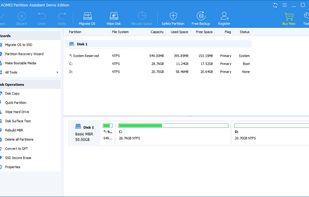
Safely manage and resize your disk partitions without risk of data loss, using sector-level data protection. Supports MBR, GPT disks, drives over 2TB, migration between disks, allocation of free space, and advanced partitioning tasks for Windows systems.

Cost / License
- Freemium (Pay once or Subscription)
- Proprietary
Application type
Platforms
- Windows


Features
AOMEI Partition Assistant News & Activities
Highlights All activities
Recent News
No news, maybe you know any news worth sharing?
Share a News TipRecent activities
 TheEmperorArt added AOMEI Partition Assistant as alternative to iBeesoft Disk Partition Wizard
- Creative_joe liked AOMEI Partition Assistant
- Bakrilum liked AOMEI Partition Assistant

Featured in Lists

I use these software on my Windows 10 Systems
List by Richard Rothacker with 31 apps, updated

Kaspersky
List by Hérquimos Souza with 185 apps, updated

A list with 53 apps by MandoVera without a description.
List by MandoVera with 53 apps, updated
What is AOMEI Partition Assistant?
AOMEI Partition Assistant Videos
AOMEI Partition Assistant information
Developed by
 AOMEI Technology
 Licensing
Proprietary and Freemium product.Pricing
One time purchase ranging between $60 and $90, and / or subscription that costs $4 per month + free version with limited functionality.Rating
Average rating of 2.6Alternatives
34 alternatives listedBadge
Get an embeddable badge for AOMEI Partition AssistantSupported Languages


Comments and Reviews
I made a stupid mistake: I had bought an SSD, made OS and data partitions on it.
Turns out there are two serious problems with that:
My C: drive ran out of space and the Windows partition tool could not expand it.
Using the standard (free) AOMEI partition manager I could:
Using this was totally painless and quite fast. GUI is also really neat and simple to use.
This program has a bug that is not fixed in years: it just discards any non-windows partitions and see them as "unallocated space", destroying them after making any changes to the partition table. So, do not use it if Windows is not the only OS you use.
A Chinese company. May leak data on your computer when connecting the network.
bad free demo, you can't do anything almost, i may work, idk... but just why to buy something you can't even test first... / better go for something like EaseUS Partition Master.
Free (although you are encouraged to upgrade). Had an exFat volume (on a GPT drive) suddenly fail to appear. Apparently missing a drive letter. Nothing I could find in Windows 10 or on the Microsoft support forums provided any help whatsoever. Remembered this app (from many years ago), downloaded and installed it, then ran it and found the function that would provide a valid letter to the partition. Problem solved. Did I mention this was free? I dropped them a thank you note.
This program will not do free partitioning at this time.
Full of useful features and supports rescue media creation