





Aqua Voice
4 likes
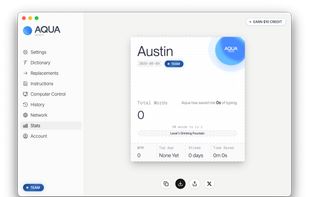
The slowest part of your computer is the keyboard. Aqua fixes that. Hold a key, talk, and your voice becomes clean text in any app - Gmail, Slack, Cursor, the terminal.

Cost / License
- Freemium (Subscription)
- Proprietary
Application type
Platforms
- Mac
- Windows
- Online
- iPhone


Features
Aqua Voice News & Activities
Highlights All activities
Recent News
No news, maybe you know any news worth sharing?
Share a News TipRecent activities
 Rami-Hanna added Aqua Voice as alternative to Sawti
 Shejan-Mahamud added Aqua Voice as alternative to Whisprtypr
 Lu-Ram added Aqua Voice as alternative to FU Flow
 Jihad-Ahmed-7252 added Aqua Voice as alternative to SayWrite
 POX added Aqua Voice as alternative to Vocatim
 Yuramos added Aqua Voice as alternative to Holos
 Akash-Vishwakarma added Aqua Voice as alternative to Iris flow
 POX added Aqua Voice as alternative to Wordmate
 official_dd added Aqua Voice as alternative to Dictation Daddy
 Andrey-Chmerev added Aqua Voice as alternative to Kekoso


Aqua Voice information
Developed by
 Aqua Voice Inc.
 Licensing
Proprietary and Freemium product.Pricing
Subscription ranging between $8 and $10 per month + free version with limited functionality.Alternatives
170 alternatives listedBadge
Get an embeddable badge for Aqua VoiceSupported Languages
AlternativeTo Categories
Audio & Music, Office & ProductivityApple AppStore
- Updated
- 4.43 avg rating


No comments or reviews, maybe you want to be first?
