




Baobab Disk Usage Analyzer
257 likes
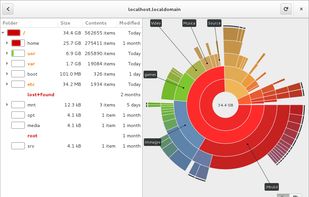
Powerful GNOME application that provides in-depth disk usage analysis with graphical representation. It supports scanning of volumes, specific directories, and network folders, offering insights into space allocation both locally and remotely.

Cost / License
- Free
- Open Source
Application type
Platforms
- Mac
- Linux
- BSD
- Flathub
- FreeBSD
- GNOME
- Homebrew


Features
Baobab Disk Usage Analyzer News & Activities
Highlights All activities
Recent News
No news, maybe you know any news worth sharing?
Share a News TipRecent activities
- AlexisJM liked Baobab Disk Usage Analyzer
 Lekano-production added Baobab Disk Usage Analyzer as alternative to CleanMyWin
- magicscraper liked Baobab Disk Usage Analyzer
- EACOE liked Baobab Disk Usage Analyzer
 1barun added Baobab Disk Usage Analyzer as alternative to Drive Sonar
- SpoonFall liked Baobab Disk Usage Analyzer
 Fopull added Baobab Disk Usage Analyzer as alternative to Storage Sifter
 Kiord added Baobab Disk Usage Analyzer as alternative to SpaceBrowser
 Danilo_Venom added Baobab Disk Usage Analyzer as alternative to SpacePeek
 POX added Baobab Disk Usage Analyzer as alternative to Leaves


Featured in Lists

## THIS LIST HAS BEEN DELETED DUE TO A BUG, SO IT MISSES SOME HONORABLE MENTIONS ! I've been using Linux for a...
List by Darlene Sonalder with 98 apps, updated

A list with 37 apps by maeslor without a description.
List by maeslor with 37 apps, updated

I'm a big fan of Linux and have been using it consistently as my desktop daily driver since 2012. In that time,...
List by Alex Ruiz with 40 apps, updated
What is Baobab Disk Usage Analyzer?
Baobab Disk Usage Analyzer information
Developed by
 The GNOME Project
 Licensing
Open Source and Free product.Rating
Average rating of 4.1Alternatives
100 alternatives listedBadge
Get an embeddable badge for Baobab Disk Usage AnalyzerSupported Languages


Comments and Reviews
simple and does the job
du can be used in more situations. sudo du / --human-readable --threshold=+1024MB --one-file-system
Its lightweight and VERY reliable! Works great on Mint! Nice lil GUI disk and file mgt app!!
Great app, but unfortunately it is a nightmare to install.
On linux, use the flatpack from the website: https://flathub.org/apps/org.gnome.baobab
Meanwhile on MacOS, you have to use homebrew: https://formulae.brew.sh/formula/baobab and launch the app from the command line by typing "baobab" (The macports package is years out of date, don't use it.)
If the above is too much of a hastle, try "SquirrelDisk" it has a nice download button on the website, that takes you to an equally nice github release page.
Don't use on MacOS, it is terribly slow at scanning, and the "Move to Trash" doesn't move it to the ~/.Trash but deletes it. Also, Baobab is just generally confusing in the folder structure for some reason.
Use SquirellDisk instead. It is relatively fast and works well.
It works with any Gnome environment and lets you scan local or remote directories. You can also view the results as charts or treemaps.
One of the few Linux apps I really miss on Mac. Okay, it has MacPorts, but it is not native.
Having difficulty locating the download link