
Big Picture Money icon

Big Picture Money

Local-first desktop finance software for Windows, macOS, and Linux stores encrypted records on your computer. It unifies accounts and transactions, supports budgets, goals, reports, net-worth tracking, CSV/QFX/OFX imports, SimpleFIN sync, and optional local or cloud AI.
Big Picture Money screenshot 1

Cost / License

  • Pay once
  • Proprietary

Application type

Platforms

  • Mac
  • Windows
  • Linux
0likes
0articles

Features

Properties

  1.  Privacy focused
  2.  Local-First

Features

  1.  Multiple Account support
  2.  Import CSV Data
  3.  Recurring Billing
  4.  Goal Tracking
  5.  Bank integration
  6.  Works Offline
  7.  Dark Mode
  8.  Cloud Sync
  9.  End-to-End Encryption
  10.  Cash Flow Analysis
  11.  No registration required
  12.  Ad-free
  13.  Expense Tracking
  14.  Financial reporting

Big Picture Money News & Activities

Highlights All activities

Recent activities

Big Picture Money information

Big Picture Money was added to AlternativeTo by Patrick on and this page was last updated .
No comments or reviews, maybe you want to be first?

What is Big Picture Money?

Big Picture Money is privacy-focused, local-first personal finance software for Windows, macOS, and Linux. It helps you manage transactions, track spending, create budgets, monitor your net worth, set financial goals, and understand the larger financial picture of your household. Optional AI lets you ask questions about your finances in natural language, explore your data with charts and tables, and turn conversations into actions you review before they are applied.

Unlike cloud-first personal finance apps, Big Picture Money stores your financial records in an encrypted database on your own computer. You can use the app completely offline and disconnected from the internet. Your data remains under your control. You can export your data at any time.

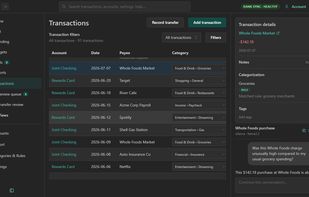
Big Picture Money includes a unified transaction register for checking, savings, credit cards, loans, and other accounts; flexible categories and tags; transaction splitting; categorization and automation rules; merchant recognition; spending analysis and reports; savings and balance goals; and budgeting with both traditional spending caps and rollover envelope categories.

Transactions can be entered manually or imported from CSV, QFX, and OFX files. Optional bank synchronization is available through SimpleFIN, with plans for additional connected services and providers.

AI is optional and off by default. Use Ollama on your machine or bring your own cloud provider to ask natural-language questions about your money, explore spending with real charts and tables, set up goals from a sentence, and apply suggested ledger changes only after you review them. Disable AI entirely at any time.

Big Picture Money is designed for people who want the convenience and features of modern personal finance software without requiring their complete financial history to live on someone else's servers.
