


BlueScreenView
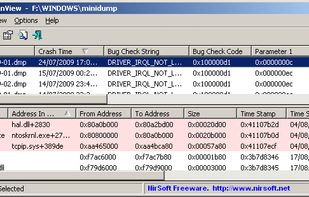
BlueScreenView scans all your minidump files created during 'blue screen of death' crashes, and displays the information about all crashes in one table. For each crash, BlueScreenView displays the minidump filename, the date/time of the crash, the basic crash information...

Cost / License
- Free
- Proprietary
Platforms
- Windows


Features
BlueScreenView News & Activities
Recent activities
A helpful program that requires you to change two defaults to be useful. 1. Dumpfile type under Windows Startup and Recovery Settings. Windows uses Automatic by default, but to use this program, that needs to be set to minidump. 2. On the program, to see results, check Options/ Advanced Options to see that the first button is checked so that all .dmp files are chosen; (maybe this isn't necessary if you don't do system cleanups of these type files like many people might.) Five stars if it was...
- TBayAreaPat replied to a comment / review on BlueScreenView
- TBayAreaPat commented on BlueScreenView
A helpful program that requires you to change two defaults to be useful. 1. Dumpfile type under Windows Startup and Recovery Settings. Windows uses Automatic by default, but to use this program, that needs to be set to minidump. 2. On the program, to see results, check Options/ Advanced Options to see that the first button is checked so that all .dmp files are chosen; (maybe this isn't necessary if you don't do system cleanups of these type files like many people might.) Five stars if it was...
- b9wzo9tz liked BlueScreenView
BlueScreenView information
Developed by
 NirSoft
 Licensing
Proprietary and Free product.Alternatives
7 alternatives listedBadge
Get an embeddable badge for BlueScreenViewSupported Languages
AlternativeTo Category
OS & Utilities

Featured in Lists

A list with 15 apps by kalashnikov without a description.

Software in instantly install on a new windows with chocolatey

A list with 20 apps by destekpckenti without a description.
Comments and Reviews
A helpful program that requires you to change two defaults to be useful. 1. Dumpfile type under Windows Startup and Recovery Settings. Windows uses Automatic by default, but to use this program, that needs to be set to minidump. 2. On the program, to see results, check Options/ Advanced Options to see that the first button is checked so that all .dmp files are chosen; (maybe this isn't necessary if you don't do system cleanups of these type files like many people might.) Five stars if it was Open Source.