





BlurData
1 like
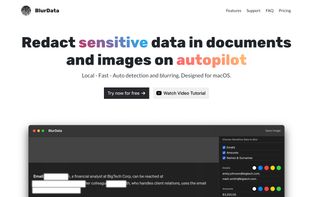
Auto-redact PDFs, screenshots and images on macOS. Detects emails, names, addresses, IPs, URLs, amounts and account numbers automatically. 100% offline. Much more with PII Community presets.

Cost / License
- Pay once or Subscription
- Proprietary
 EU
EUPlatforms
- Mac


Features
BlurData News & Activities
Highlights All activities
Recent activities
 Adolix added BlurData as alternative to Adolix PDF Redactor
 iyia_ added BlurData as alternative to SafeDraft AI
 pdfredactpro added BlurData as alternative to PDF Redact & Extract Pro
 iyia_ added BlurData as alternative to RedactMyPDF
 iyia_ added BlurData as alternative to Redactable
- POX updated BlurData


BlurData information
Developed by
 IYIA
IYIA Licensing
Proprietary and Commercial product.Pricing
One time purchase ranging between $69 and $99, and / or subscription that costs $3 per month.Alternatives
13 alternatives listedBadge
Get an embeddable badge for BlurDataSupported Languages


No comments or reviews, maybe you want to be first?