


BulkFolderLocker
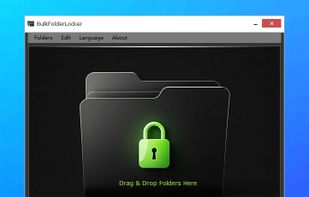
Lightweight Windows software enabling batch locking and unlocking of multiple local folders to prevent unauthorized access, reading, or deletion; folders become inaccessible from File Explorer, command line, or network shares, ensuring privacy and security for user data.

Cost / License
- Free
- Proprietary
Platforms
- Windows


Features
BulkFolderLocker News & Activities
Recent activities
 kane_blue added BulkFolderLocker as alternative to Mirage Colloid
 POX added BulkFolderLocker as alternative to VaultBar
 mspl-magnytesolution added BulkFolderLocker as alternative to MySecureFolder
- reviewed BulkFolderLocker★
From the description of the way this works it does NOT encrypt the contents of the folder. Therefore using a deep scan of a file recovery program will reveal the files that are supposed to be locked away… just tested this, it “works” by editing the ACL of the folder and adding a Deny Special Permissions to the Everyone Group. It is trivial to remove this “protection” by simply right clicking on the folder selecting Security tab and selecting Everyone entry and hit Edit button and press remove...
 TheEmperorArt added BulkFolderLocker as alternative to FileCryptor
- Fla updated BulkFolderLocker


BulkFolderLocker information
Developed by
 AutoClose
 Licensing
Proprietary and Free product.Alternatives
50 alternatives listedBadge
Get an embeddable badge for BulkFolderLockerSupported Languages


Comments and Reviews
From the description of the way this works it does NOT encrypt the contents of the folder. Therefore using a deep scan of a file recovery program will reveal the files that are supposed to be locked away… just tested this, it “works” by editing the ACL of the folder and adding a Deny Special Permissions to the Everyone Group. It is trivial to remove this “protection” by simply right clicking on the folder selecting Security tab and selecting Everyone entry and hit Edit button and press remove button and the protection IS REMOVED with no password, another “feature” of this protection is if the folder is open in another explorer window or program it remains accessible whether you lock it or unlock it with this toy… open the drive in linux and even with the deny special permissions enabled you will still be able to access it freely as linux ntfs driver does not have the ability to honour ACLs… this is just a toy if there is something you need to keep secret from prying eyes DON’T PUT IT ON A COMPUTER OF ANY KIND! Don’t expect it to function on a file system such as FAT32 or exFAT. I can’t see the benefit of registering this… could not find a reason to go PRO on their website either! Oh the portable edition… which is not truly portable as the password and other settings are stored on the host PC not in the portable programs location. It is in fact stored in the users AppData\Roaming\ folder as the file infobflp.ini with the password stored in PLAIN TEXT!!!!!