VaultBar icon
VaultBar icon

VaultBar

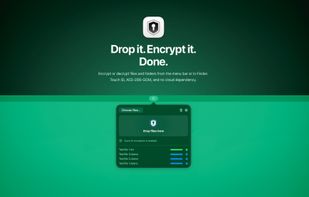
Encrypt or decrypt files and folders from the menu bar or in Finder. Touch ID, AES-256-GCM, and no cloud dependency.
VaultBar screenshot 1

Cost / License

  • Pay once
  • Proprietary

Application type

Platforms

  • Mac
0likes
0articles

Features

Properties

  1.  Privacy focused
  2.  Lightweight
  3.  Local-First

Features

  1.  Works Offline
  2.  Dark Mode
  3.  No registration required
  4.  No Tracking
  5.  Ad-free
  6.  AES-256 Encryption
  7.  Drag and Drop
  8.  Sits in the menu bar
  9.  Local file encryption
  10. Finder icon  Apple Finder Integration

VaultBar News & Activities

Highlights All activities

Recent activities

VaultBar information

  • Developed by

    CH flagBenjamin Wieland
  • Licensing

    Proprietary and Commercial product.
  • Pricing

    One time purchase (perpetual license) that costs $7.
  • Alternatives

    53 alternatives listed
  • Badge

    Get an embeddable badge for VaultBar
  • Supported Languages

    • English
    • Catalan; Valencian
    • Chinese
    • Danish
    • French
    • German
    • Greek
    • Hindi
    • Italian
    • Japanese
    • Korean
    • Polish
    • Portuguese
    • Romanian
    • Russian
    • Spanish
    • Thai
    • Turkish
    • Ukrainian

AlternativeTo Category

Security & Privacy
VaultBar was added to AlternativeTo by Paul on and this page was last updated .
No comments or reviews, maybe you want to be first?

Official Links

What is VaultBar?

VaultBar brings fast, local file encryption to macOS.

Encrypt or decrypt files and folders from the menu bar, with drag and drop, directly in Finder, or from the Finder right-click menu. VaultBar automatically recognizes encrypted files and selects the right action, helping avoid double encryption and common mistakes.

All processing happens entirely on your Mac. No cloud, no analytics, no tracking.

VaultBar supports Touch ID or password, configurable reuse intervals, batch processing, recent history, flexible output locations, conflict handling, and optional replacement of original files after encryption or decryption.

Vault folders can automatically monitor a location and encrypt new files placed there. Recovery keys provide secure fallback access when Touch ID or your usual unlock method is unavailable.

Private by design. Native on macOS. Ready when you need it.
