




VeraCrypt
573 likes
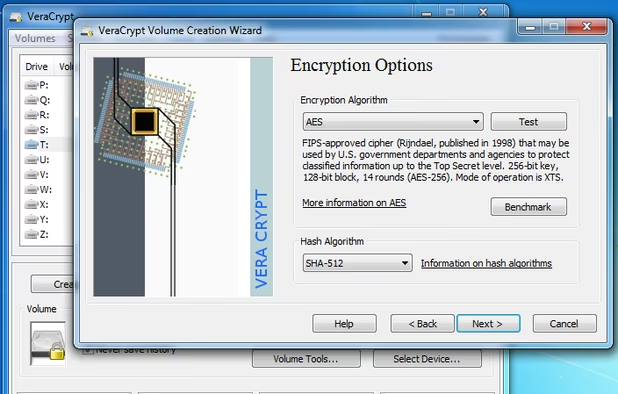
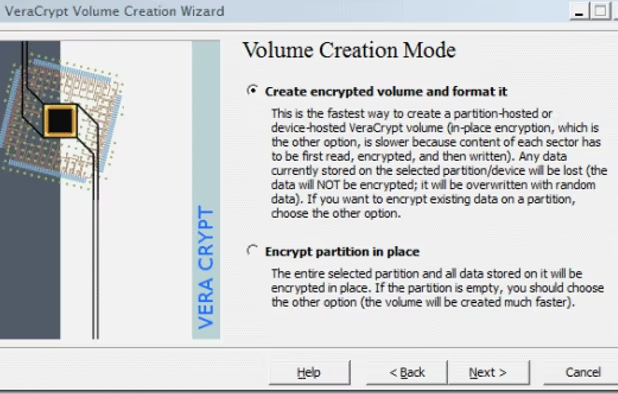
Ensure your data's security by encrypting entire partitions, storage devices, or system drives with VeraCrypt. Benefit from transparent and automatic real-time encryption, hardware acceleration on modern processors, and robust security algorithms that are resistant to brute-force attacks.
Cost / License
- Free
- Open Source
Application type
 EU
EUPlatforms
- Mac
- Windows
- Linux
- BSD
- PortableApps.com
- Homebrew
- Chocolatey

Features
VeraCrypt News & Activities
Highlights All activities
Recent News
- POX published news article about VeraCrypt
 Microsoft has terminated developer accounts of VeraCrypt, WireGuard & Windscribe software
VeraCrypt, the open-source encryption tool, faces a major obstacle after Microsoft terminated the d...

Recent activities
 seeknwander added VeraCrypt as alternative to SeekPrivacy
- lumb liked VeraCrypt
 kontributor added VeraCrypt as alternative to Vault Explorer
 Maoholguin added VeraCrypt as alternative to Doghouse Vault
 abby33459 added VeraCrypt as alternative to Ombracrypt
 adroitband added VeraCrypt as alternative to SilentSilo
- zac8wqoxg9 liked VeraCrypt
- zdozjdmzjdlek liked VeraCrypt
- Oklonsica liked VeraCrypt


Featured in Lists

This is the apps for Windows 11 that I would recommend to anyone who just got a PC ! The same list...
List by Darlene Sonalder with 142 apps, updated

Privacy-enhancing software I trust / recommend. Browsers and their extensions, email providers, VPN services,...
List by John Fastman with 34 apps, updated

These are all the software I use on my windows machine. I am privacy freak. So, I mostly use open source software....
List by sam with 100 apps, updated
What is VeraCrypt?

VeraCrypt Videos
VeraCrypt information
Developed by
 IDRIX
IDRIX Licensing
Open Source and Free product.Written in
Rating
Average rating of 4.5Alternatives
82 alternatives listedBadge
Get an embeddable badge for VeraCryptSupported Languages

AlternativeTo Category
Security & PrivacyGitHub repository
- 11,650 Stars
- 1,345 Forks
- 492 Open Issues
- Updated


Comments and Reviews
Pros
Cons
Have used it on Windows and Linux systems and have worked flawlessly.
10/10 would recommend!
During the past 2 years have tried to use VeraCrypt but always I get the many times reported "VeraCrypt::Elevator::Elevate:710" error. However it seems that nobody cares.
I've been using this for many years to secure my personal data in a number of Veracrypt volumes. I keep them in OneDrive and also backup to another cloud service monthly. I decrypt each drive as I need to use it. It's essential to my way of working.
On Linux it does not work! It claims my (account) password (which it needs to mount an image) has illegal characters. Well, it works to log me in... And it then even shows these characters (my password) on screen. Showing the password on screen is a no-go. This showing (and also checking a password, which is kinda patronizing) should be a red flag to anyone. Unless I severely weaken my password, I cannot use this rubbish.
Been using VeraCrypt for over 4 years to encrypt my drives. Works perfectly both on Windows and Linux, and it's super fast and secure.
Easy, Secure and strong encryption. I use it for years by now
VeraCrypt is the gold standard of private encryption.
It is a free, open-source disk encryption tool that has been third-party audited. You can't get much better than that. With closed-source software, you can trust the name. The bigger the name, the more they want to avoid damage to reputation. With non-audited open-source software, you have to place blind trust often when dealing with complicated encryption.
Although its for disk encryption, you can think of it like file encryption. You don't need different encryption software to "lock" folders. You could also just archive folders and encrypt with something like 7Zip.
For the cloud, there is some limitations, especially with large containers. The big cloud services like Dropbox can already update individual files rather than the entire disk, but some less well known ones can't. For that, you might consider cryptomator. But it's not completely audited by a well-known third party. Though most of the cryptographic libraries it uses have been.
But you don't need to worry about anything other than things like IP logging and metadata with Dropbox or other commercial brands. Because you are using this as client-side encryption, those services can never see the contents. Even the government can't see the contents if you have a good password.