




Picocrypt
41 likes
Picocrypt is a very small (hence Pico), very simple, yet very secure encryption tool that you can use to protect your files. It's designed to be the go-to tool for encryption, with a focus on security, simplicity, and reliability.

Platforms
- Mac
- Windows
- Linux
Discontinued
The repository was permanently archived and put into a read-only state by the owner on Aug 7, 2025.

Features
Picocrypt News & Activities
Highlights All activities
Recent News
No news, maybe you know any news worth sharing?
Share a News TipRecent activities
- FedePrescia liked Picocrypt
 abby33459 added Picocrypt as alternative to Ombracrypt
 TheEmperorArt added Picocrypt as alternative to Crypt in the Box
 tb2764 added Picocrypt as alternative to RotorCrypt X-Files
 POX added Picocrypt as alternative to FiFe - Secure File Vault
 tb2764 added Picocrypt as alternative to RotorCrypt X
 seaborg added Picocrypt as alternative to Seaborg vault





Featured in Lists

The ultimate list of apps/services for better Security, Privacy & Anonymity; Defense against Surveillance. What...
List by Sooraj Sathyanarayanan with 199 apps, updated

Best software and/or services privacy related that you can get. Some choices are really close, some others are based...
List by donateto_opensource with 73 apps, updated

A list with 5 apps by littlebighorse without a description.
List by littlebighorse with 5 apps, updated
What is Picocrypt?
Picocrypt information
Developed by
Evan SuLicensing
Open Source (GPL-3.0) and Free product.Written in
Rating
Average rating of 4.8Alternatives
40 alternatives listedBadge
Get an embeddable badge for PicocryptSupported Languages

AlternativeTo Category
Security & PrivacyGitHub repository
- 1,554 Stars
- 128 Forks
- 0 Open Issues
- Updated (Archived)


Comments and Reviews
Nice user-friendly & lightweight app to encrypt/decrypt files and folders.
I really love small, portable apps. But when it comes at such a loss of performance, I don't think it's worth it. This encrypts about as fast as VeraCrypt, without all the benefits of VeraCrypt portable.
Seriously, it's so slow (without compression and without paranoid mode). 7Zip, with compression and encryption is faster. Sure the encryption is not as good technically. But the encryption of Picocrypt is not as good as VeraCrypt. So I see very limited functionality in this.
Multi-Platform, minimal and open-source
Splendid portable app! Tested on Windows10, needed it in order to hide some folders. Great options, great scripts, great interface!
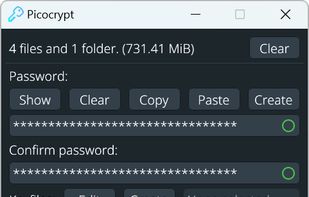
Easy to use, but for desktop only. As simple as drag and drop the file to be encrypted to the UI. There is also a built-in password generator. The generated password has to be kept securely (use Bitwarden or KeePassXC). As additional security, drag and drop a keyfile or generate one using the built-in keyfile generator. There is currently no way to open Picocrypt files in Android/iOS. Until there is a mobile app for Picocrypt, pairing Veracrypt with EDS (EDS Lite) or Sirikali with DroidFS is arguably the most practical choice.