Record your screen with audio directly from your browser and share the video with your team, friends, and family.
Cost / License
- Freemium
- Open Source (AGPL-3.0)
Application type
Platforms
- Online
- Software as a Service (SaaS)
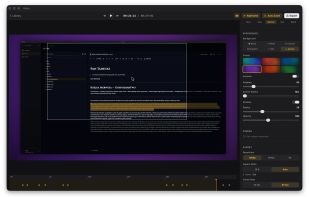
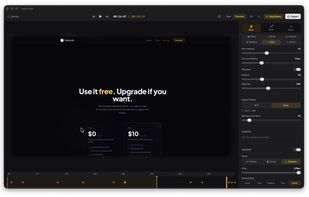
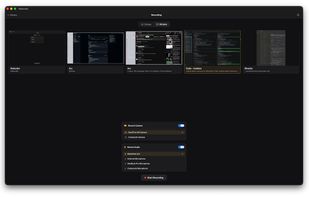
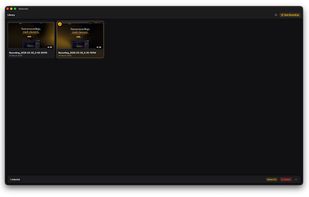
Cap is described as 'Open-source cross-platform screen recorder with instant video editing, 4K recording, one-click sharing, privacy controls, no signup, and self-hosting options' and is a Screen Recorder in the video & movies category. There are more than 50 alternatives to Cap for a variety of platforms, including Mac, Windows, Web-based, Linux and Google Chrome apps. The best Cap alternative is OBS Studio, which is both free and Open Source. Other great apps like Cap are ShareX, OpenScreen, SimpleScreenRecorder and ScreenArc.
Record your screen with audio directly from your browser and share the video with your team, friends, and family.
Snapclip is a tool that allows you to create a comprehensive knowledge base by training an AI assistant using your screen recordings and spoken explanations.


Free screen recorder with customizable branding, but no cloud-uploads, watermarks or time limits. Skip the meeting - send a video instead.


Videoyards is a lightweight, browser-based screen recorder that helps Chrome users create professional-quality demos without the need for bulky desktop software. It combines instant recording with smart editing features like auto zoom, cursor highlighting, and camera/microphone...


neetoRecord is a screen and webcam recording tool that helps you avoid unnecessary meetings. You can easily record your screen to create software demos, presentations, tutorials, feedback and more. This means you spend less time in meetings and more time getting work done...


With PasteKit, just record then paste video, images, sound directly into your audio/video editing software. Works out-of-the-box, no extra setup needed.


Record screen and webcam in HD videos with no watermark. Simultaneously or separately record from system sounds and microphone.


Meetzi.app simplifies software documentation for technical writers. Record screen or audio demos, generate raw or structured transcripts with timestamps, and preview thumbnails for fast navigation. Copy-paste transcripts into Notion or Confluence to create precise guides in minutes.

LoopingBack enables video as a message and response type for surveys, emails, stand ups, and other communications. It also uses AI to help users get from collection of information to results faster.


Share or record any number of windows over a clean background, without icons, folders or notifications.


ScreenSage is a macOS screen recording and tutorial creation tool designed for high-quality video capture. It allows users to record their screen with smooth performance, add annotations, and edit directly within the app.