


ScreenRec
69 likes
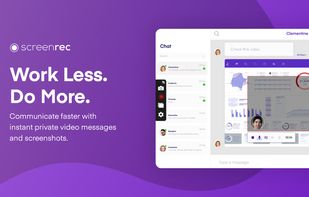
ScreenRec is a free screen recorder for Windows, Linux, and Mac with webcam, microphone, and system audio capture. Record without a watermark or time limit, store videos in free cloud storage, and share instantly with private links.

Cost / License
- Freemium (Subscription)
- Proprietary
Application typeApplication types
 EU
EUPlatforms
- Mac
- Windows
- Linux


Features
ScreenRec News & Activities
Highlights All activities
Recent News
No news, maybe you know any news worth sharing?
Share a News TipRecent activities
- ScreenRecAdmin updated ScreenRec
- ScreenRecAdmin updated ScreenRec
 IncreoScale added ScreenRec as alternative to Stik – Screenshot Capture
- RemovedUser updated ScreenRec
 Carlos_davila added ScreenRec as alternative to useCadence






What is ScreenRec?
ScreenRec Videos
ScreenRec information
Developed by
 TeddySoft Ltd.
 Licensing
Proprietary and Freemium product.Pricing
Subscription ranging between $4 and $81 per month + free version with limited functionality.Rating
Average rating of 4.6Alternatives
163 alternatives listedBadge
Get an embeddable badge for ScreenRecSupported Languages


Comments and Reviews
ScreenRec is an excellent screen recording application that works very well with low end PCs.
ScreenRec has proven to be an indispensable tool for online tutors. Its ability to effortlessly record and share tutorial sessions makes it a favorite among educators. With ScreenRec, tutors can provide students with high-quality recordings for revisiting lessons, enhancing the learning experience in the digital education landscape.
Most features require you to sign-up.
The screen capture tool is pretty basic. There is only an option to add speech bubbles. There are no other options for annotations.
As a teacher adapting to remote learning, I found ScreenRec exceptionally easy to use for creating video tutorials. Its simple interface allowed me to focus on the lesson rather than the tech, and it's lightweight enough that it doesn't slow down my older laptop. A reliable tool for educators.
ScreenRec has indeed been a valuable asset, making the process of creating informative tutorials so much simpler with its user-friendly interface. It's refreshing to have a tool that accommodates a range of system capabilities!
ScreenRec excels in its straightforward interface, allowing for a quick initiation of screen captures. The software also provides encrypted cloud storage, offering a seamless way to share your recordings securely.
For those traversing the Mac landscape in search of an effective screen capturing tool, ScreenRec emerges as a prime choice. It brings together a sleek interface with potent features, all tailor-made for the MacOS environment. Bid farewell to convoluted settings, as ScreenRec makes screen capturing and immediate sharing a breeze. A go-to solution for MacOS users yearning for a proficient, streamlined screen capturing experience.
It is working for my Mac machine really well. It is far better than other screen recording applications I was using earlier.
What stands out most about ScreenRec is its light footprint coupled with the provision of complimentary cloud storage for every user. Without a doubt, it's the ideal screen recording solution!