
Frset icon
Frset icon

Frset

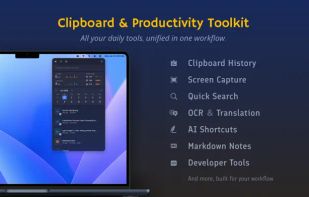
Frset is an all-in-one macOS productivity app combining clipboard management, screenshots, OCR, translation, AI shortcuts, and useful utilities in one place.
Frset screenshot 1

Cost / License

  • Freemium (Pay once)
  • Proprietary

Application type

Platforms

  • Mac
4likes
0articles

Features

Properties

  1.  Privacy focused
  2.  Lightweight
  3.  AI-Powered

Features

  1.  Syntax Highlighting
  2.  Calendar View
  3.  Dark Mode
  4.  Support for MarkDown
  5.  No registration required
  6.  Works Offline
  7.  Annotate Screenshot
  8.  Full-Text Search
  9.  Calendar Integration
  10.  Ad-free
  11.  OCR
  12.  Color Picker
  13.  Hardware Monitoring
  14.  Timestamps
  15.  Code Snippets
  16.  Network speed monitor
  17.  CPU Monitoring
  18.  Translator
  19.  AI Writing
  20.  Base64 Encode
  21.  QR Code Generator
  22.  Memory Monitoring
  23.  Markdown preview
  24.  Image Optimizer
  25.  Traffic Monitoring
  26.  Meeting
  27.  URL Encoding
  28.  QR Code Reader
  29.  Snippets
  30.  Image to text

Frset News & Activities

Highlights All activities

Recent activities

Frset information

  • Developed by

    Unknown
  • Licensing

    Proprietary and Freemium product.
  • Pricing

    One time purchase (perpetual license) that costs $20 + free version with limited functionality.
  • Alternatives

    135 alternatives listed
  • Badge

    Get an embeddable badge for Frset
  • Supported Languages

    • English
    • Chinese
    • French
    • Spanish
    • Japanese
    • German
    • Russian
    • Korean
    • Vietnamese
    • Thai
    • Arabic
    • Portuguese
    • Italian
    • Dutch
    • Turkish
    • Polish
    • Swedish
    • Indonesian
    • Hindi
    • Ukrainian
Frset was added to AlternativeTo by Mysdes on and this page was last updated .
No comments or reviews, maybe you want to be first?

Official Links

What is Frset?

Frset is built for people who regularly switch between small productivity utilities on macOS. By keeping these commonly used tools together, it helps reduce context switching and keeps everyday workflows within easy reach.

Key features:

• Clipboard Management — Keep and search your clipboard history, filter content by type, preview Markdown, highlight code, organize frequently used content, and quickly reuse clipboard items with a floating clipboard and quick paste workflows.

• Screenshots & Color Picker — Capture regions or windows, create scrolling screenshots, add annotations, adjust screenshot corners, pin images on screen, and pick colors for design and visual workflows.

• OCR, Screenshot Translation & QR Recognition — Extract text from screenshots, translate image content, and recognize QR codes without switching to another app.

• Markdown Notes — Quickly save temporary notes, snippets, ideas, and Markdown content alongside the rest of your workflow.

• Developer Tools — Access commonly used utilities including JSON formatting, timestamp conversion, Base64 encoding and decoding, URL encoding and decoding, UUID generation, QR code generation, text translation, and more.

• Image Compression — Compress multiple images with TinyPNG directly from Frset.

• AI Shortcuts — Create reusable AI tools with custom prompts for translation, summarization, rewriting, explanation, and other tasks. You can also use different AI providers to fit your workflow.

• System Monitor — Monitor CPU, memory, network speed, and storage usage, with optional menu bar indicators for frequently monitored information.

• Calendar Tools — View upcoming events and quickly join online meetings.

Frset Videos
