




Handy Screenshot
4 likes
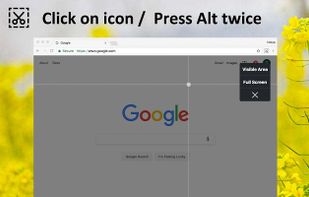
Capture the web page, either part of it or full page. Edit your screenshots in a very user-friendly interface.

Cost / License
- Free
- Proprietary
Application type
Platforms
- Online
- Google Chrome
- Firefox


Features
Handy Screenshot News & Activities
Highlights All activities
Recent activities
- tooaverage added Handy Screenshot as alternative to Foldout Screenshot
- TheaY added Handy Screenshot as alternative to OpenCapture
Handy Screenshot information
Developed by
UnknownLicensing
Proprietary and Free product.Alternatives
86 alternatives listedBadge
Get an embeddable badge for Handy ScreenshotSupported Languages


Comments and Reviews
Handy Screenshot can take a picture of an entire web page, the visible area or a selected area. Annotations, arrows etc. are possible.
It can only save as an image in PNG, JPG and WebP (!) formats, but unfortunately not as a PDF document.
The file name is not created from the title of the web page, like some other similar tools handle it, but you have to type in a name.