





Capture Full Page - Screenshot Editor
1 like
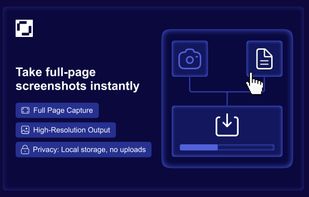
Capture Full Page is a Chrome screenshot extension that captures the entire scrolling page, the visible screen, or a selected area, then lets you annotate and export without leaving the tab. Three capture modes, a full editor (arrows, text, highlighter, crop, step numbering...

Cost / License
- Freemium
- Proprietary
Application type
 EU
EUPlatforms
- Google Chrome


Features
Capture Full Page - Screenshot Editor News & Activities
Highlights All activities
Recent activities
- Dmitry2026 liked Capture Full Page - Screenshot Editor
 Maoholguin added Capture Full Page - Screenshot Editor as alternative to Screenshot Full Page and Page Screenshot for Safari
- Dmitry2026 added Capture Full Page - Screenshot Editor
 Dmitry2026 added Capture Full Page - Screenshot Editor as alternative to GoFullPage, Awesome Screenshot, FireShot and Lightshot


Capture Full Page - Screenshot Editor information
Developed by
 capturefullpage
 Licensing
Proprietary and Freemium product.Pricing
free version with limited functionality.Alternatives
7 alternatives listedBadge
Get an embeddable badge for Capture Full Page - Screenshot EditorSupported Languages


No comments or reviews, maybe you want to be first?