


Catalyst Browser
2 likes
An amazing and elegant Electron web browser.

Cost / License
- Free
- Open Source (MIT)
Application type
Platforms
- Mac
- Windows
- Linux
- Flathub


Features
Catalyst Browser News & Activities
Highlights All activities
Recent News
No news, maybe you know any news worth sharing?
Share a News TipRecent activities
No activities found.


Catalyst Browser information
Licensing
Open Source (MIT) and Free product.Written in
Alternatives
44 alternatives listedBadge
Get an embeddable badge for Catalyst BrowserSupported Languages

AlternativeTo Category
Web BrowsersGitHub repository
- 80 Stars
- 25 Forks
- 17 Open Issues
- Updated


Comments and Reviews
No longer functions.. I tried it. From site: "Development has been moved to Platinum, supplemental LTS (long term support) releases of Catalyst will be provided." last update [https://github.com/jdev082/Catalyst/releases](https://github.com/jdev082/Catalyst/releases)
Requires .Net Framework 4.5 (minimum).
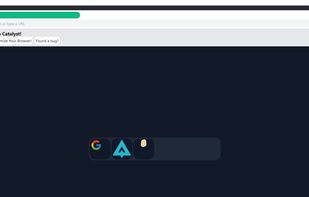
I mainly use other browsers, but I wanted another lightweight & simple browser for when I wanted a quick look up or to download something. I did like it's simple (somewhat refreshing) layout on my first impression, though I didn't care for not having ANY right click/features such as "open in new tab", "duplicate/copy tab" & "copy & paste". Naturally you can still use the operating system's Control C & Control V to copy & paste. Also I also thought it odd that there are by default 3 icons on the landing/new tab page 2 of which I had not heard of. (not a big deal, could just be my ignorance to those 2 sites), but the other is Google....which I was not thrilled about...Maybe (benefit of the doubt) there is a "good reason" but it was not clear why if so, as I did not see any explanation for this & I could not remove them. I will probably keep it for now to see if it grows on me just for when I need a quick look at something .