What's the story behind Clarilo AI?
Clarilo was born from a simple frustration: entrepreneurs spend their days context-switching between tabs instead of doing strategy. Every day means triaging Gmail, shuffling Google Calendar invites, chasing Slack messages, updating CRMs, and copying data between apps. That's not running a business — that's admin. Clarilo was built to be the executive assistant that handles the operational busywork, so founders can focus on the work that actually matters. It's built iteratively through a "small bets" methodology — testing each capability rigorously, keeping what works, discarding what doesn't.
What makes Clarilo AI unique?
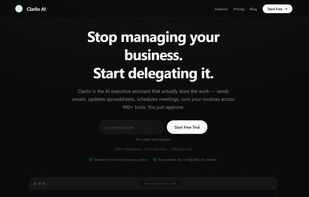
Clarilo AI doesn't just answer questions — it takes action. Unlike ChatGPT or other AI assistants that tell you what to do, Clarilo actually does the work across your real tools. Say "send a follow-up to everyone I met with this week" and it checks your calendar, cross-references your email, drafts individual follow-ups, and shows them for approval before sending. It connects to 800+ platforms simultaneously, auto-discovers new integrations with zero configuration, and has a deny-by-default approval system so you stay in control of every write action.
Why should a person choose Clarilo AI over its competitors?
Three reasons:
Action, not advice. Competitors like ChatGPT, Copilot, and Gemini are conversational — they give suggestions. Clarilo executes across your actual tools (Gmail, Calendar, Slack, Notion, HubSpot, etc.) in a single request.
True cross-platform orchestration. One command can span multiple platforms — e.g., check Calendar + Gmail + Slack and synthesize a briefing. No Zapier-style flowcharts or workflow builders needed.
Built-in safety. Write actions always require approval. You see exactly what Clarilo wants to do before it does it. Read actions flow automatically. This isn't a toggle — it's the architecture.
How would you describe the primary audience of Clarilo AI?
Busy entrepreneurs and founders who run their businesses across a dozen tools and spend hours every week on admin — triaging inboxes, shuffling calendar invites, copying data between apps, chasing follow-ups. People who need an executive assistant that actually does operational work, not just answers questions. The design is specifically ADHD-optimized for zero cognitive load and instant feedback.







 HappyGamerGoose added Clarilo AI as alternative to ChatArt
 moazzam-qureshi added Clarilo AI as alternative to Mistral Vibe, OpenClaw, Khoj and Brave Leo

