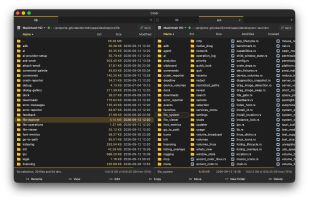
Cmdr is on macOS what Total Commander is on Windows: familiar shortcuts, two panes, fast and transparent. Built with Rust, it's extremely fast and respectful of your CPU, RAM, and disk.
Plus it has two more cool things:
- It indexes your drive for near-instant search and shows you live folder sizes (optional, can be disabled at onboarding)
- AI features like bulk renames and search (optional, off by default, can run 100% locally, and all destructive operations need human approval)
Cmdr is in open beta: the core is well-tested and used daily by the author and a group of testers, while the newer features (archives, operation log, AI, SFTP, WebDAV, ADB) are marked as "alpha". Feedback goes straight to the developer!
Cmdr is source-available under the Business Source License 1.1, and the source is on GitHub. Free for personal use, commercial license for work use.
Core features:
- Basics: Two panes, tabs, command palette, keyboard-first. F5 to copy, F6 to move, F8 to delete, all remappable.
- Operations: Copy, move, rename, delete, with accurate progress bars, ETAs, and cancellation. Built for data safety, speed, and transparency.
- Advanced ops: Queue operations, background them, pause/resume, browse op log, roll back ops, even days later.
- Browse zip, tar, and 7z files like folders, and create or extract them.
- Speed: Lists 50,000 files near-instantly; the built-in viewer opens a 10 GB file in 1 sec, with search. (!)
- Accessibility: Real dark and light modes, native macOS behavior, WCAG 2.2 AA and APCA verified contrasts.
- Localization: Translated into 13 languages.
Extra features:
- USB: Reads/writes Android phones, Kindles, and cameras over MTP and PTP, up to 4x faster than Android File Transfer, with any USB cable. Also ADB support for Android!
- SMB: Accesses network drives 4-200x faster than the macOS client. For small files and listing dirs, it's waay faster than Finder!
- SFTP: Use your server like a local drive
- WebDAV: Same
- Git: Browse Git history, branches, worktrees, and stashes like normal folders.
- Supports Dropbox's and Google Drive's own actions, like "Copy Dropbox link" and "Share with Google Drive".
- Drive index: Keeps a fully local index of your disk, for live folder sizes and fast search.
AI features (optional, off by default, and can stay fully local with a built-in LLM):
- Natural-language search: "Find my tax report from last year"
- Smart selection: "Select all screenshots in this folder"
- Chat: "Why is my Downloads folder so big?"
- Local image indexing: "Find photos where a dog looks into the camera"
- Natural-language renaming: "Rename these screenshots based on their content." The agent only suggests; you review, apply, and can roll back.
- File organization: "Clean up my Downloads folder". You approve each move.
- The model runs on your Mac by default; bring your own OpenAI, Claude, or Gemini key (or ollama, etc.) for better models.
- With AI off, Cmdr is a complete Total Commander-style file manager!



 EU
EU



 Maik-Hofmann added Cmdr as alternative to Peach Commander
 Jaime-Guzman added Cmdr as alternative to Shuffle File Explorer



 vdavid


