


Copy Handler
24 likes
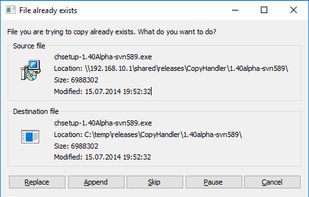
Copy Handler is a free software for Windows systems, which allows you to take full control over the file copy and move operations. Program is highly customizable and fully integrates with the operating system.

Cost / License
- Free
- Open Source (GPL-2.0)
Application type
 EU
EUPlatforms
- Windows


Features
Copy Handler News & Activities
Highlights All activities
Recent News
No news, maybe you know any news worth sharing?
Share a News TipRecent activities
- TBayAreaPat updated Copy Handler
- TBayAreaPat commented on Copy Handler
Featured in Lists

Contains various scripting languages, installations, configurations, checklists, processes, and notes regarding...
List by Jimmy Briggs with 90 apps, updated
A list with 97 apps by namdx1987 without a description.
List by Nam Pham with 97 apps, updated

A list with 12 apps by asphaltkisser without a description.
List by asphaltkisser with 12 apps, updated
What is Copy Handler?
Copy Handler information
Developed by
 J?zef Starosczyk
 Licensing
Open Source (GPL-2.0) and Free product.Written in
Rating
Average rating of 3.5Alternatives
23 alternatives listedBadge
Get an embeddable badge for Copy HandlerSupported Languages

AlternativeTo Category
File ManagementGitHub repository
- 10 Stars
- 2 Forks
- 0 Open Issues
- Updated


Comments and Reviews
Installer: https://sourceforge.net/projects/copyhandler/files/latest/download "Off-label" use. Copy Handler will keep a log of files that are moved. There don't seem to be any free programs that can track moved files after-the-fact, but Copy Handler is something that will log during the process. Helps to clarify what happened to files when doing a backup check before cloning/synchronizing. A screenshot can be taken of the tasklist, though I hoped the text log would be more usable.
There is no multi-threaded copying of a large number of small files.
Micromanagement ?
Nostalgia is spectacular.
The best programs ever are , CopyHandler ,Gs richcopy 360 and Teracopy , good job this year
This program is fine, but Fast Copy (an opensource program that used to be bundled with Windows Toolkit and available on majorgeeks.com and other places) seems much, much faster, especially on network/external drives. I think the interface is simpler with Fast Copy, but I'm a little leery about some of the guidance given by the developer. For instance, when asked by someone on his webpage for guidance on maximum buffer size depending on RAM (the one thing that would speed up file movement), he wings it; in his FAQ, he simply states: "You can try to experiment with buffer sizes and buffer count settings in options." That's not sufficient when you're risking data loss. He seems like a nice guy and is very responsive, but unfortunately Fast Copy is much better.