DraftFinder is a keyboard-driven file manager for macOS. It fixes Finder's biggest problem: forgetting your workspace.
Session restore
Open tabs, their paths, sort order, grouping, column widths and scroll position are all saved across restarts. Open the app and you pick up exactly where you left off. Your working folders survive a restart. Pin a tab to lock it to its folder and protect it from being closed by accident — pinned state is restored too.
Global file search
Press ?F to search your home folder and local volumes by file name, independent of the tab you are currently in. The index is built in the background, persisted between launches, and kept up to date with FSEvents, so it stays fast in large trees. Noise folders (node_modules, .git, ~/Library, and so on) are excluded, and the exclusion list is editable in Settings.
Single-key commands
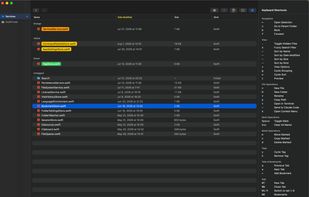
Almost every operation is one plain key, with no obscure chords to memorize: u to go up, b and f for back and forward, p to copy the full path of the selection, r to rename, n or N to create a file or folder, t to open a terminal here, s to filter the current folder, l to preview, . to toggle hidden files, v for view options, o to cycle the sort order, g to cycle grouping. Press ? for an always-available cheat sheet that lists every command.
Customizable key bindings
Not happy with the defaults? Every single-key command can be reassigned from Settings, so the layout follows your fingers instead of the other way around. Return, Space and Escape stay reserved, so nothing you rely on gets shadowed.
Quick preview
Press l to Quick Look the selected file, then keep moving through the folder with the arrow keys without closing the preview
Marks and batch operations
Mark multiple files with Space, then move (m), copy (c) or delete (d) them in one go. Deletion goes to the Trash and rolls back completely if any item fails. Batch rename is included.
Color labels
Assign your own color labels. Press y to cycle a file through your palette and h to clear it. Colors and names are editable in Settings and persist across restarts.
Bookmarks and history
Save the folders you use often as bookmarks and open them again in an instant. ?Y jumps straight back to any recently visited folder — across all tabs, and across restarts.
Terminal integration
"t" opens WezTerm, or Terminal.app in the current directory. It goes through your login shell, so your everyday environment is right there. You can also open the selected folder straight into Claude Code the same way.
DraftFinder is a native SwiftUI app, Developer ID signed and notarized, with automatic updates via Sparkle. The interface is available in English and Japanese, including the macOS menu bar. Requires macOS 14 Sonoma or later. It is a $19.99 one-time purchase with a 14-day free trial that needs no account and no credit card. Every 1.x update is included at no extra cost, with no time limit and no renewal fee.







 kazuy added DraftFinder as alternative to Bloom File Manager
 kazuy added DraftFinder as alternative to Finder, ForkLift, Path Finder and Spacedrive

 zaseeta

