





ForkLift
105 likes
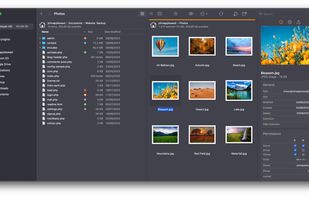
Dual pane macOS file manager featuring SFTP, FTP, WebDAV, cloud drives, real-time activity view, folder sync, drag-and-drop file transfers, preview panel, multi-rename, batch operations, server connections, text editing, themes, and tagging for efficient workflows.

Cost / License
- Freemium (Pay once)
- Proprietary
Application typeApplication types
 EU
EUPlatforms
- Mac


Features


ForkLift News & Activities
Highlights All activities
Recent News
- Fla published news article about ForkLift
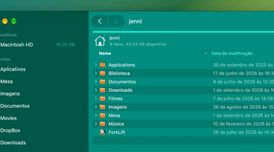 ForkLift 4.7.5 improves sync and prevents conflicting file transfers
ForkLift 4.7.5 now stops a transfer before it starts when selected source items with the same name ...
- Fla published news article about ForkLift
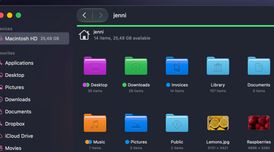
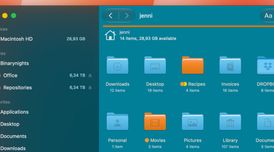 ForkLift 4.7.3 updates icon view with improved navigation and selection
ForkLift 4.7.3 introduces seamless row navigation and range selection in Icon View, restoring behav...
- POX published news article about ForkLift
 ForkLift gets smarter file renaming, QuickLook video previews and smoother SMB integration
ForkLift 4.7.1 is now available as the latest update to the dual-pane file manager and transfer cli...


Recent activities
 Iakov-Senatov added ForkLift as alternative to mimiNavigator
 ComfortFiles added ForkLift as alternative to ComfortFiles
 Maik-Hofmann added ForkLift as alternative to Peach Commander
 Jaime-Guzman added ForkLift as alternative to Shuffle File Explorer
 kazuy added ForkLift as alternative to DraftFinder
 ansgarscheffold added ForkLift as alternative to Hatch for Mac


Featured in Lists

Must have Mac Apps 2019
List by Wagn3r with 40 apps, updated

List of all Mac apps
List by rahulsaigal with 120 apps, updated
A list with 19 apps by namdx1987 without a description.
List by Nam Pham with 19 apps, updated
What is ForkLift?
ForkLift Videos
ForkLift information
Developed by
 binarynights
 Licensing
Proprietary and Freemium product.Pricing
One time purchase (perpetual license) ranging between $20 and $120 + free version with limited functionality.Rating
Average rating of 3.8Alternatives
136 alternatives listedNews
29 news article related to ForkLiftBadge
Get an embeddable badge for ForkLiftSupported Languages


Comments and Reviews
I only got to use v3 because I think they stopped supporting Mojave afterwards and I refused to move to Catalina and later, but it was on that version an almost replacement for Finder, you can even set it up as the default file manager. It's so easy to use the manual was a single page and it covered pretty much anything you'd ever need. It also has the same shortcuts so if you're keyboard driven, you won't skip a beat.
The regex renaming feature is awesome, the search is confusing but still good, better than the Finder which needs the target pre-indexed and can't search by filename in the same directory. Those aren't issues you have in ForkLift.
It wasn't perfect though, you still need Finder for a thing or two--these are usually tasks tag will require dragging/dropping something. If a certain set of conditions were met, connecting to SMB shares would mean your system would freeze for several minutes at a time. It's a little resource-heavy too. It had a few bugs, I don't think they're relevant anymore.
If you were able to stomach modern macOS, give this a shot, it's worth it. I haven't used the current Finder but I can assure you v3 ForkLift is better than it, let alone v5.
Even though ForkLift is currently in its version 5+, it's still very buggy.
Since I bought it, I've had issues with Sync (which was one of the main reasons to acquire it), manually copying files to the cloud (Drive for example), and other minor annoying things like an app opening the location of a file but ForkLift only opening in the default directory.
Upon contacting with support, several times, they told me (someone named Bam) those issues were known and that I should change the app's settings to only 2 simultaneous file transfers which is like having a snail moving files:
And still, the Sync feature of the app won't work.
Customer support on itself was quick to respond, but not very amicable or informative.
If ForkLift were what they advertise on their website, it'd be a great app. Sadly it's not. It has the clear signs of an application still not ready for the market.
I regret buying ForkLift.
[Edited by Cifra, December 14]
It's way better than the mac finder. They even have an app deleter feature that clears the cache and other data stored by apps when you uninstall them.
Very capable and well designed file manager and ftp program. I use it for viewing photos (which works much better than in the new finder (Apple removed pinch&zoom option for whatever reason). I didn't find a proper replacement for it in Windows. On MacOS with Forklift it's easy to sync a local and FTP folder. ForkLift has a compelling visual overview. It syncs subfolders and shows every change with colors before sync. For this specific need, WinSCP does the job, it does sync subfolders, too.
Can't get SFTP working with private key authentication. It simply does not ask me for my key file.
Same here!! Only half of the features work. Google drive can't transfer more than 2 files at a time (confirmed by forklift's support!), Sync doesn't work with any cloud service and they can't even say when it'll be fixed. It looks good, but it's a big no-no.