Comments about gInk as an Alternative to Epic Pen
Portable, Free, simple, configurable
This program is really good and useful.


- gInk is Free and Open Source
There are many alternatives to Epic Pen for Windows if you are looking for a replacement. The best Windows alternative is gInk, which is both free and Open Source. If that doesn't suit you, our users have ranked more than 10 alternatives to Epic Pen and nine of them are available for Windows so hopefully you can find a suitable replacement. Other interesting Windows alternatives to Epic Pen are Ardesia, ZoomIt, ppInk and Crealesson.

Portable, Free, simple, configurable
This program is really good and useful.


Ardesia is an usefull software for use your desktop as a Sketchpad. You can write, markup and erase, also, of course, you can use your desktop as normal desktop.


because it helps me make my videos better.
Draw, record and have fun!


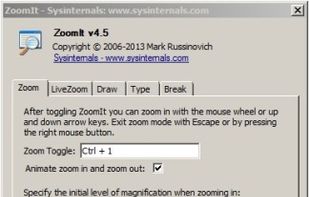
ZoomIt is screen zoom and annotation tool for technical presentations that include application demonstrations. ZoomIt runs unobtrusively in the tray and activates with customizable hotkeys to zoom in on an area of the screen, move around while zoomed, and draw on the zoomed...

This is a program to zoom to a specific area. Epic Pen is for drawing on your screen.
The screen freezes when I start drawing on it. And if I want to do anything on the screen, the drawings go away. On Epic Pen I can switch to cursor mode and the drawings still stay there till I remove them.


Multiboard Draw On Screen, Marker, Mouse & Keyboard On Screen Display. All inclusive Kit for video tutors, Youtubers, Digital Video Teachers, Educators serving for Kindergartens, Universities.
A must be app for digital teachers.


This app allows you live drawing and taking notes over desktop applications. There are also tools for screen recording and making screenshots. It is great tool for creating presentations, tutorials, manuals, animations, video or streaming.


Nearly the same as Epic pen


Pylote is a software making it possible to draw on the screen of the computer, like handling various instruments of geometry.

Screen annotation software which allows drawing directly on the screen. It is an open source and multiplatform (all systems that support Python) alternative to tools such as Epic Pen.

A neat little application that allows you to draw on your screen. Use it from anywhere you want - be it your desktop, while browsing internet or even while in a video game.


Free, Easy, Configurable, Fast, Light