




FancyWM
8 likes
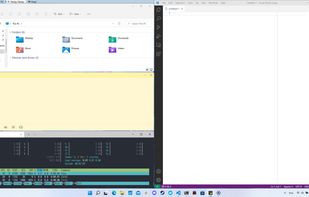
FancyWM is a dynamic tiling window manager for Microsoft Windows.

Cost / License
- Free
- Open Source
Application type
 EU
EUPlatforms
- Windows


Features
FancyWM News & Activities
Highlights All activities
Recent News
No news, maybe you know any news worth sharing?
Share a News TipRecent activities
 ch996811 added FancyWM as alternative to Snip2Field
 Korye-Creations added FancyWM as alternative to Multi-Slides
Weird logic behind window managements. It put always visible top panel, which is suboptimal behaviour if our goal is to maximize used screen space. It creates second panel if I tried to arrange windows horizontally, so instead 2 windows using 50% of space each, I have 2 windows using 25% of screen each.
Really weird manager. I better stick to FancyZones.


Featured in Lists

Stuff that I have on every Windows computer. These complement Windows and some of them should be *included* with...
List by playmobilmeister with 36 apps, updated

What is FancyWM?
FancyWM Videos
FancyWM information
Developed by
 Vesko Karaganev
 Licensing
Open Source and Free product.Pricing
One time purchase (perpetual license) that costs up to $8.Written in
Rating
Average rating of 3.7Alternatives
34 alternatives listedBadge
Get an embeddable badge for FancyWMSupported Languages

AlternativeTo Category
OS & UtilitiesGitHub repository
- 1,220 Stars
- 51 Forks
- 34 Open Issues
- Updated


Comments and Reviews
FancyWM is my favorite Windows Manager for its ability to create a group of windows that will persist for a session. A well-thought-out automated windows sizer/aligner. There's a method vs the program Workspacer WM if you're just looking for a simple dual pane view.. but it's easy enough. Point towards the top of windows and icons appear. Click an icon and the window becomes part of a group with a bar at the top. The secret to rearranging is to drag the window down from the bar, and then slide it over. Group windows or choose option to float them. It is able to keep dynamic/pop-up windows out of focus. These items make it more full-featured than WhimWM or WorkspacerWM, though it doesn't toggle multi-views in the manner of those programs. And like those 2 programs, FancyWM doesn't save views for next reboot. The program TaskSpace will save, though it's iffy. Quirk: the button to remove FancyWM from startup doesn't work right. Go to Windows Settings, Apps and Startup to switch it off.
Weird logic behind window managements. It put always visible top panel, which is suboptimal behaviour if our goal is to maximize used screen space. It creates second panel if I tried to arrange windows horizontally, so instead 2 windows using 50% of space each, I have 2 windows using 25% of screen each.
Really weird manager. I better stick to FancyZones.
INFELIZMENTE não consegui utilizar este programa. A ideia é genial, porém, não consegui usar. São anos utilizando janelas flutuantes e FancyWM simplesmente acaba com isso, deixando as janelas FIXAS, lado a lado. O maior problema que faz com que eu não consiga usar este programa é o fato de que as janelas iniciam ocupando o espaço disponível, por exemplo, se eu preciso de um espaço 25% da tela apenas como um bloco de notas, ele será aberto ocupando o espaço total. E quando eu abrir a segunda janela a mesma pegará os 50% restante verticalmente, mas eu queria essa janela 100% da metade de baixo (horizontal), pois sou acostumado a usá-la assim. Isto é, você tem que pensar muito qual janela vai abrir primeiro. NÃO É ORGÂNICO como nas janelas flutuantes (ou se você é um novo usuário de computadores). Tentei por 5 dias usar, mas desisti. 😶
I was able to replace Groupy, WindowManager, and AquaSnap with this app. By far the most useful window management tool available for Windows.
Very useful tool. And it is easy to use.
I have used FancyWM for the past few months and I can say it is better than Microsoft PowerToys because it automatically arranges new windows
Easy to get used to and very helpful.