




First Impression
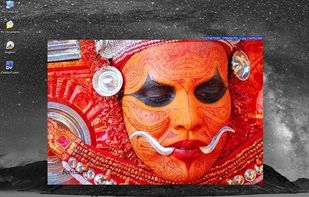
First Impression is a free and minimal image viewer with a focus on maximizing the space used for viewing your images by doing away with command bars and buttons. First Impression is controlled entirely by keyboard shortcuts and a small menu accessed by right clicking on the...

Platforms
- Windows
The official website is no longer available. Last version, 1.02, released on October 2009, can be still downloaded from Softpedia.

Features
First Impression News & Activities
Recent activities
 icyhoty2k added First Impression as alternative to Quick Image Viewer
- ZoGa_Loo added Lightweight as a feature to First Impression
First Impression is all I've been looking for these past few weeks. No dum tool buttons at the top and no title bar. Note, it isn't possible resize the image like how you'd click and drag with a regular window. To resize it, Right Click View Zoom in \ Zoom Out, then it'll make the window smaller or larger. There's no ability to keep it on top of other windows, sadly, would've been decent. By default it supports the following formats; bmp, gif, jpg, jpeg, png, tiff. Apparently you can add...
- ZoGa_Loo liked First Impression

First Impression information
Developed by
Util's HavenLicensing
Proprietary and Free product.Alternatives
57 alternatives listedBadge
Get an embeddable badge for First ImpressionSupported Languages


Comments and Reviews
First Impression is all I've been looking for these past few weeks. No dum tool buttons at the top and no title bar. Note, it isn't possible resize the image like how you'd click and drag with a regular window. To resize it, Right Click View Zoom in \ Zoom Out, then it'll make the window smaller or larger. There's no ability to keep it on top of other windows, sadly, would've been decent. By default it supports the following formats; bmp, gif, jpg, jpeg, png, tiff. Apparently you can add more in Preferences, cool!