

GEMINUS icon
GEMINUS icon

GEMINUS

GEMINUS compares two drives or folders and shows you exactly what changed between them — then lets you copy, move or delete the differences by hand. It is built for people who keep a working drive and a backup drive instead of running a NAS: nothing runs in the background...
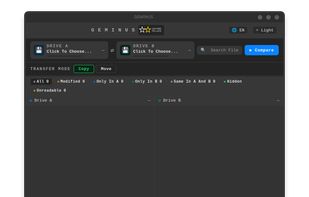
Two folders compared side by side, with the differences marked. Dark theme.

Cost / License

Platforms

  • Linux
  • Windows  Requires Windows 10 22H2 or later, 64-bit.
0likes
0articles

Features

  1.  File Comparison
  2.  File Sync
  3.  Folder Comparison

GEMINUS News & Activities

Highlights All activities

Recent activities

  • lucixdev added GEMINUS

GEMINUS information

GEMINUS was added to AlternativeTo by lucixdev on and this page was last updated .
No comments or reviews, maybe you want to be first?

Official Links

What is GEMINUS?

GEMINUS compares two drives or folders and shows you exactly what changed between them — then lets you copy, move or delete the differences by hand. It is built for people who keep a working drive and a backup drive instead of running a NAS: nothing runs in the background, nothing syncs on its own, and no account is required.

Three comparison modes: Quick looks at names, sizes and dates; Deep reads the file contents to be sure identical-looking files really are identical; Full adds a physical health check of the drives via S.M.A.R.T. When it meets a file it cannot read on a damaged drive, it flags it and finishes the comparison instead of giving up.

Free software under the GNU GPL v3. Ships as AppImage, .deb and .rpm on Linux, and as an installer on Windows 10/11 64-bit.