


WinMerge
567 likes
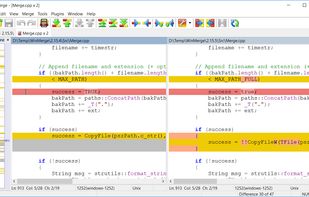
WinMerge is an open source differencing and merging tool for Windows. WinMerge can compare both folders and files, presenting differences in a visual text format that is easy to understand and handle.

Platforms
- Windows
- PortableApps.com
- Wine


Features
WinMerge News & Activities
Highlights All activities
Recent News
No news, maybe you know any news worth sharing?
Share a News TipRecent activities
- Janix40 liked WinMerge
- TBayAreaPat replied to a comment / review on WinMerge
- Kitanya liked WinMerge
- iagodpassos added WinMerge as alternative to LibreMerge
- kaj_t added WinMerge as alternative to WhatChanged
 rkpg added WinMerge as alternative to Diff Pro Max
 POX added WinMerge as alternative to Riffle for macOS
 mehrab-ali added WinMerge as alternative to FolderManifest



Featured in Lists

Must have
List by Faradeus with 71 apps, updated

Master List of all Apps and Software I use for both work and personal life.
List by Jimmy Briggs with 416 apps, updated

Useful apps for Windows Additional...
List by tbdsch with 77 apps, updated
What is WinMerge?


WinMerge information
Developed by
 Thingamahoochie Software
 Licensing
Open Source (GPL-2.0) and Free product.Written in
Rating
Average rating of 4.8Alternatives
81 alternatives listedBadge
Get an embeddable badge for WinMergeSupported Languages

AlternativeTo Categories
File Management, DevelopmentGitHub repository
- 9,205 Stars
- 1,013 Forks
- 496 Open Issues
- Updated


Comments and Reviews
3 pane compare. Extremely useful for resolving conflicts when programming.
Decent compare tool, but as of today Diffinity (free) is much better.
I prefer Diffinity too, but it won't open image files.
A great program for fast file merging. Easy to transfer individual files to an outside folders. Be nice if there was a simplified method for merely appending one file to another (combining). Dual Context menu sides takes work. The program Diffinity does this automatically. In WinMerge, getting context menu to choose 1st and other items should be a default setting in my opinion. Here is method: Edit → Options → Shell Integration category, and check "Add to context menu". Then enable "Enable advanced menu" to replace the basic "WinMerge" shortcut with "Select Left (1st)" and "Select Right (2nd)". Another great thing is that WinMerge can be used to compare image files. One pretty big drawback is that Winmerge won't save manually hidden items in projects if you are doing folder comparisons, though you can use glob filters like d!:Folder1 where it offers file filters. Other programs, like FreeFileSync, can save manual choices.
WinMerge does have integrated context menu choosing options. Perhaps my system glitched previously.
Just needed to find why two folders had different qty of items. WM found the "missing" files in a couple of seconds. Easy-peasy.
Versatile and fast! Fires up in milliseconds.
Works well with comparing folders and files.
Very good app, unfortunately it doesn't have the capability to output difference reports like BC. In most engineering environments this is a must.
[Edited by NuncioBitis, April 13]
WinMerge can do that in txt or html format