




Google Photos
Offers 15 GB free cloud storage for automatic photo and video backups, AI-powered editing tools, smart organization, duplicate cleanup, daily roll albums, locked folders, Google Lens, and easy sharing across devices with advanced security. Print services available in select regions.





Cost / License
- Freemium (Subscription)
- Proprietary
Application typeApplication types
Platforms
- Online
- Android
- iPhone
- Chrome OS
- Android Tablet
- iPad

Features


Google Photos News & Activities
Recent News
- Fla published news article about Google Gemini
 Google Photos in Gemini Spark handles tasks from one prompt
Google Photos in Gemini Spark can handle end-to-end tasks from a photo library with a single prompt...
- POX published news article about Android
 Android will soon help you remember where you left things, ease motion sickness, and more
Google has released its September Android Drop, adding features for photo editing, messaging, searc...
- Fla published news article about Google Photos
 Google Photos adds Video Remix for quick, creative video editing
Google Photos has launched Video Remix, enabling users to quickly create stylized video clips using...


Recent activities
 Michael-Hill added Google Photos as alternative to PictureAttic
- HrshD1eux added Google Photos as alternative to Imava
 Richard-Anderson added Google Photos as alternative to ImageTome
- PlutoPhotos added Google Photos as alternative to Pluto Photos
 POX added Google Photos as alternative to Lathe
- PierreGoux added Google Photos as alternative to Carnely
- DomIsDazed added Google Photos as alternative to MA Photos
 Tarun-Chawla added Google Photos as alternative to FotoBrowser
 pixfinder added Google Photos as alternative to PixFinder
 Mr-Kristowyn added Google Photos as alternative to PhoneRig


Featured in Lists

Master List of all Apps and Software I use for both work and personal life.

-Music -Lifestyle
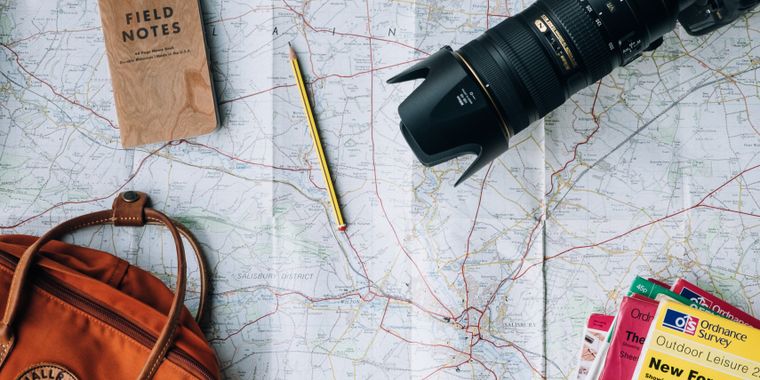
That super computer you have in your pocket is the best travel companion ever created. Personally i use an iPhone and...


What is Google Photos?
Google Photos information
Developed by
 Google
 Licensing
Proprietary and Freemium product.Pricing
Subscription that costs up to $12 per month + free version with limited functionality.Rating
Average rating of 3.4Alternatives
181 alternatives listedNews
30 news article related to Google PhotosBadge
Get an embeddable badge for Google PhotosSupported Languages
AlternativeTo Categories
Backup & Sync, Photos & Graphics, Social & Communications, Video & Movies, File Management, AI Tools & ServicesApple AppStore
- Updated
- 4.83 avg rating


Comments and Reviews
As title suggests above
The free* has a caveat to it. The free plan is such that google compresses its images with its propietary algorithm so you have a much smaller image file uploaded to googlephotos. The same is true with their videos as well, using the same technology they use for youtube
I personally cannot discern any difference in quality from images + videos uploaded to google photos though, so this is a minute point for me.
If you do any sort of photography work, and need high res .raw image file format backup, I would suggest using another cloud-based service dedicated specifically for that task
On terms of the actual PROS of google photos:
I've tried a lot of other solutions like
None of them are as good as google photos though
[Edited by Kagerjay, July 09]
The unlimited free storage will **end ** in 1st July 2021
A threatening demeanor coming from Google Photos in terms of privacy. "Google scans and analyzes data that interacts with its products and services. With Google's Vision API, you can sketch an idea of the type of information they gather."
And Google's Vision API creates an extremely accurate description about your images, as you can see on theyseeyourphotos.com. No end-to-end encryption whatsoever and your IP address will be logged, same as with the rest of Google's product suite.
The other issue is photos uploaded to Google Photos will count as storage accumulated on your Google account.
I use Photos because I have a ton of cloud storage via Google One. If that weren't the case, I wouldn't be using this service. It has the bare minimum album & sorting features, but my biggest complain is the interface. You better learn the shortcuts (like SHIFT+A to archive & SHIFT+CLICK to multi-select) to avoid extra clicks. The mobile Photos interface is better than the desktop version - I'm sure the touchscreen plays a role in that.
What disappointed me the most was losing synced data through what I'd suspect is a bug. At this point, I've gone through and tagged each photo with people's faces. Part of the curse of my OCD is doing this while training Google's facial recognition. My main laptop is Windos 10, but while doing some cleaning I found my old Chromebook from a few years ago. If you weren't aware, Google account login is mandatory. For whatever reason, logging into this Chromebook wiped all saved photo tags. I don't know what happened, maybe logging into the Chromebook synced old data or something. Google support is useless as usual, so I decided to let it be & not redo the people tags. In a way, Photos helped me combat my OCD in a weird way.
User-friendly interface. I especially like the facial recognition feature.
there is simply no setting to not upload videos to google photo. I really like the way I can share my synced photos with my partner by doing nothing. Compression is ok'ish.
Very convenient to use