Easily create greeting cards yourself.
Instant Sharing
If you want to send your card quickly to your friends, the most comfortable way to do so is the online view. Simply copy the link and send it to your friends.
Simple Menu Navigation
The navigation in the app is a simple step-by-step-system. You get guided through this easy process and there’s no way to do anything wrong.
Creative Design
HappyCard comes with many graphical elements like stamps, banners, forms, etc. Change any of the existing designs or start your own creative card design.
Serial Card Feature
Invitation cards, and greeting cards get created once and are made for sending them out to many different guests. With HappyCard the names change according to your list and are correctly exported for every card.
Design Assistant
Even untrained makers will come to great results quickly with the help of the HappyCard design assistant. Very simple, step by step.
Versatile Export Functions
As soon as your masterpiece is done, you can print it out, export it as PDF, JPG, PNG or BMP, or get a link to share via Facebook, Twitter and your other apps.
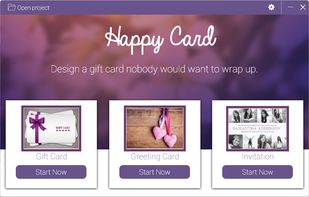
Select card type to design
Choose whether you want to create a gift card, a greeting card or an invitation.
Individual design of empty card
Create an empty card and align it individually. Select the desired format and a suitable background color.
Select font
Choose a suitable font and design the card individually according to your own wishes.
Share cards online
Export your cards and share them via Facebook, Twitter and email, or copy the automatically generated link.
Select multiple recipients
Add names to a list to make a map unique and create it with multiple names.







 EU
EU

 Marie_HappyMilo added HappyCard as alternative to Happy Milo
 TheEmperorArt added HappyCard as alternative to Cymera, Photo Grid - Frame Maker, Good Times Card Maker and Festival Greeting Cards

 Abelssoft

