Image Converter Plus Alternatives

Image Converter Plus is described as 'Conversion and resizing software for Windows. It can convert files across various image formats while maintaining quality. It allows users to save images in popular formats and includes a quick conversion feature' and is a Image Converter in the photos & graphics category. There are more than 50 alternatives to Image Converter Plus for a variety of platforms, including Windows, Web-based, Mac, Linux and SaaS apps. The best Image Converter Plus alternative is GIMP, which is both free and Open Source. Other great apps like Image Converter Plus are Caesium Image Compressor, Switcheroo Image Manipulation, Converseen and Image Normalizer.

Copy a direct link to this comment to your clipboard
Image Converter Plus alternatives page was last updated

Alternatives list

  1. Instantly convert image files and multi-page PDFs to JPEG using a Mac-exclusive app. Features advanced control for resizing, compression, batch processing, and support for multiple formats and workflows, all through an intuitive drag-and-drop Dock interface.

    51 Peggy Converter alternatives

    Cost / License

    • Free
    • Proprietary

    Application type

    Platforms

    • Mac
     
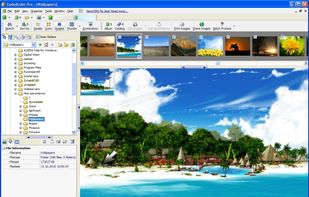
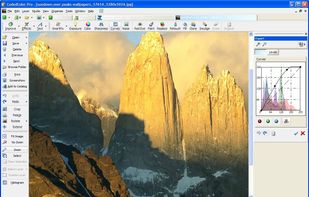
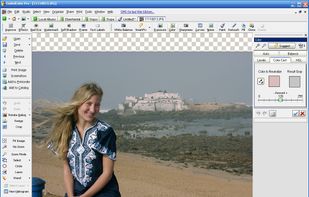
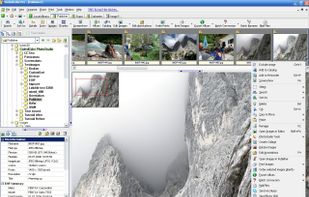
  2. CodedColor PhotoStudio by 1STEIN is a Windows photo viewer and editor to organize, edit, resize, reformat, correct, compare, sort, watermark, annotate and print digital images, and to edit EXIF and IPTC data in digital photos.

    Cost / License

    • Free
    • Proprietary

    Application types

    Platforms

    • Windows
     
  3. GraphicConverter is computer software that displays and edits Raster graphics files. It also converts files between different formats.

    Cost / License

    • Paid
    • Proprietary

    Application type

    Platforms

    • Mac
     
  4. ImBatch icon
     12 likes

    ImBatch is a batch image processor with a nice graphical user interface. It will allow you to edit multiple image files at the click of a button by using scripts. The script will be created by combining Tasks.

    Cost / License

    • Free Personal
    • Proprietary

    Application type

    Platforms

    • Windows
     
  5. PixTrim icon
     1 like

    PixTrim is a simple online tool to resize, crop, compress, convert, flip, and rotate images in popular formats like JPG, PNG, WebP, AVIF, and HEIC — all for free and right in your browser.

    Cost / License

    • Free
    • Proprietary

    Platforms

    • Online
     
  6. Online Image Converter converts your BMP, JPG, PNG, GIF or ICO files quickly and easily. It is completely free.

    Cost / License

    • Free
    • Proprietary

    Application type

    Platforms

    • Online
     
  7. Ralpha Image Resizer is a lightweight and portable program that can perform image operations in batch mode, such as resizing and applying filters.

    Cost / License

    • Free
    • Proprietary

    Platforms

    • Windows
     
  8. Pho.to icon
     7 likes

    Improve and play with your digital pictures at Pho.to site with easy yet powerful editing tools and services. Enhance your pictures, have fun with your photos online, retouch portraits and share your photos for free. Free Pho.to services:

    Cost / License

    • Freemium
    • Proprietary

    Application types

    Platforms

    • Online
    • Android
    • iPhone
    • iPad
     
  9. BIMP icon
     2 likes

    With BIMP you can apply a set of manipulations to an entire group of images! It provides an easy to use interface and a lot of batch functions.

    75 BIMP alternatives

    Cost / License

    • Free
    • Open Source

    Platforms

    • Mac
    • Windows
    • Linux
    • GIMP
     
  10. Powerful and intuitive online tool for viewing, resizing, cropping, and converting images. It supports all major formats, including AVIF, WebP, HEIC/HEIF, TIFF, and 32-bit HDR/EXR. Enjoy the unique Live Preview feature that lets you see real-time conversion results before downloading!

    Cost / License

    • Free
    • Proprietary

    Platforms

    • Online
     
You are at page 2 of Image Converter Plus alternatives