


InfiniPaint
7 likes
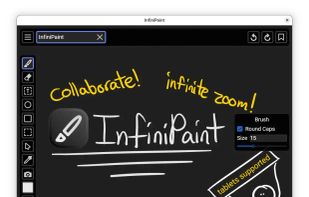
InfiniPaint is a collaborative, infinite space, infinite zoom, canvas note-taking/drawing app. Unlike many other infinite canvas apps, although there is a specific zoom-in level limit, there is no zoom-out limit (at least up until the point your computer runs out of memory).

Cost / License
- Free
- Open Source (GPL-3.0)
Application type
Platforms
- Linux
- Flathub
- Flatpak
- Windows
- Mac
- Online


Features
InfiniPaint News & Activities
Highlights All activities
Recent activities
- crse added InfiniPaint as alternative to Kala Paint
- shaysio liked InfiniPaint
 crse added InfiniPaint as alternative to Umoupen
- diagnoses1824 liked InfiniPaint
- nigh7-0wl-gamer liked InfiniPaint
- braky liked InfiniPaint
- BlueTen thinks Works Offline is a important feature of InfiniPaint
- BlueTen thinks No registration required is a important feature of InfiniPaint
- BlueTen thinks Infinite canvas is a important feature of InfiniPaint
- BlueTen liked InfiniPaint

InfiniPaint information
Developed by
Yousef KhadadehLicensing
Open Source (GPL-3.0) and Free product.Written in
Alternatives
50 alternatives listedBadge
Get an embeddable badge for InfiniPaintSupported Languages

AlternativeTo Category
Photos & GraphicsGitHub repository
- 491 Stars
- 22 Forks
- 45 Open Issues
- Updated


No comments or reviews, maybe you want to be first?
Featured in Lists

Ever wondering about free great open source software to start your idea? Here's a list for you to get...
List by cel with 109 apps, updated

(note: I have yet to try many of these myself)
List by Fisheater with 73 apps, updated