A true Scrivener alternative needs three things: a way to organize many documents in one project (the binder), a visual overview of your structure (the corkboard), and the ability to export a finished manuscript (compile). Most writing apps have one or two. Insanitomeium has all three, in a browser, at no cost, plus the planning tools that keep character, setting and plot work connected to the manuscript.
WRITING
Binder - A hierarchical tree for acts, chapters, scenes and notes. Drag and drop to reorganize; documents carry a status and any number of colour labels.
Rich text editor - Headings, bold, italic, underline, highlight, tables, scene breaks and checklists.
Split editor - Two documents side by side, or a corkboard beside the scene you are writing.
Inline comments - Attach a note in the margin to any passage.
Word counts and goals - Live counts, session goals, a sprint timer, and a writing-pace graph on your profile.
Autosave and version history - Saves continuously, syncs across devices, and keeps automatic snapshots of every document. Deleted documents wait in a Trash for 30 days.
Search - Full-text search and Quick jump across the whole project.
PLANNING
Corkboard - Index cards for every scene; drag to restructure.
Character sheets - Plus a Relationship Map that draws your cast as a draggable web.
Setting sheets - Places with sensory details, layout, history, and the scenes set there.
Research notes - Summary, key facts, sources and open questions.
Plot outlines - A beat sheet seeded from Three-act, Save the Cat, Hero's Journey, Five-act, Seven-point, Kishotenketsu or Freytag. Each beat links to the scene it is written in.
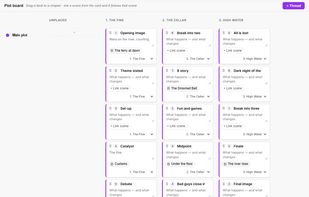
Plot board - Threads across chapters with beats as draggable cards.
Outliner - The manuscript as an editable table: synopsis, point of view, threads, status and word count.
Every sheet can be a structured template or free-form prose.
SHARING AND EXPORT
Compile to PDF, DOCX, ePub, Markdown, or Standard Manuscript Format DOCX with one click.
ZIP archive of the whole project, with its folder structure, as TXT, RTF or DOCX.
Beta-reader share links - Private snapshots with expiry, optional password, and opt-in annotations. Readers need no account.
EVERYWHERE
Any modern browser, with a dedicated phone layout and iPad support. Nothing to install.
Light, dark and Tome themes. Sign in with Google, GitHub or Discord. Your projects stay private.
Free. Permanently. No trial, no premium tier, no subscription, no ads.
WHO IS IT FOR?
Novelists, screenwriters, short story writers, and anyone who found Scrivener too expensive, too complicated, or unavailable on their platform. Particularly useful for NaNoWriMo participants, Linux and Chromebook users, writers on shared or locked-down machines, and anyone who writes on a phone in stolen minutes.








 Pievid added Insanitomeium as alternative to Pievid Writer
 Aggressive Wiggling Supply Co. LLC

