Inscribe icon
Inscribe icon

Inscribe

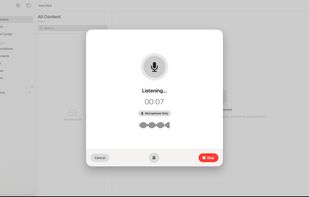
Record a meeting, lecture, or interview and watch the text appear as people talk. Your audio and transcripts are not uploaded anywhere to be processed.
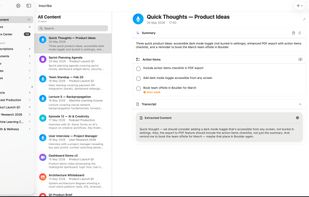
Every recording gets an AI summary, a list of action items, and the full transcript, all generated and stored on your device.

Cost / License

  • Freemium (Pay once or Subscription)
  • Proprietary

Platforms

  • Mac
  • iPhone
  • iPad
Recording and transcription run locally. It works offline, and your audio is never uploaded.
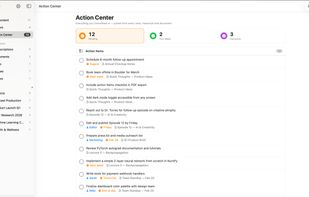
The Action Center gathers every task, owner, and due date from across all your notes into one place.
+3
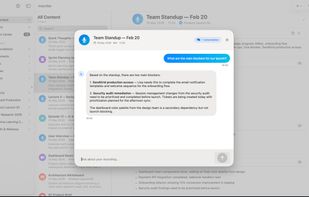
Ask questions about any recording in plain language and get answers pulled straight from the transcript.
0likes
0comments
0alternatives
0articles

Features

Properties

  1.  Lightweight
  2.  Privacy focused

Features

  1. LaTeX icon  Support for LaTeX
  2.  Encrypted Backup
  3.  No registration required
  4.  Support for MarkDown
  5.  Works Offline
  6.  No Coding Required
  7.  Dark Mode
  8.  Ad-free
  9.  Subtasks
  10.  Cloud Sync
  11.  Calendar Integration
  12.  No Tracking
  13.  PDF support
  14.  AI-Powered
  15.  Speech to text

Inscribe News & Activities

Highlights All activities

Recent activities

Inscribe information

  • Developed by

    HR flagJOSIP MARKOVIC
  • Licensing

    Proprietary and Freemium product.
  • Pricing

    One time purchase that costs $30, and / or subscription ranging between $4 and $10 per month + free version with limited functionality.
  • Alternatives

    0 alternatives listed
  • Supported Languages

    • English
    • Chinese
    • Danish
    • Dutch
    • French
    • German
    • Italian
    • Japanese
    • Korean
    • Norwegian Bokmål
    • Portuguese
    • Spanish
    • Swedish
    • Turkish
Inscribe was added to AlternativeTo by Inscribe on and this page was last updated .
No comments or reviews, maybe you want to be first?

What is Inscribe?

Record a meeting, lecture, or interview and watch the text appear as people talk. Your audio and transcripts are not uploaded anywhere to be processed.

Recording, transcription, summaries, speaker labels, and Q&A run 100% on your device. There is no cloud transcription provider, so the work happens locally and keeps going with no internet. No account to create. Optional iCloud sync is off by default.

Inscribe turns audio, video, and documents into searchable text you can question and summarize on Mac, iPhone, and iPad.

WHAT IT DOES

  • Transcribe audio and video files, or record live and read the words as people speak
  • Label who said what with on-device speaker diarization
  • Pull summaries and action items, with deadlines that drop into Apple Reminders
  • Ask questions across your whole library and get answers that cite the source
  • Capture system audio on macOS to transcribe any app, call, or video
  • Read full-screen live captions during any conversation

IMPORT ANYTHING

  • PDF, Word, PowerPoint, Excel, and text files
  • Images with text, read through OCR
  • Audio and video in common formats

BUILT FOR PRIVACY

  • Powered by Apple Intelligence with a built-in local model when you need it
  • Your recordings and transcripts stay on the device during processing
  • Works on a plane, in a basement, anywhere with no signal

ACCESSIBILITY

  • Full-screen live captions and a high contrast display
  • VoiceOver support throughout
  • Hear an alert when someone says your name

EXPORT AND SHARE

  • PDF, Word, Markdown, SRT, VTT, and JSON
  • 14 languages with multilingual summaries

Inscribe is a private alternative to cloud transcription services. Try it with no account and judge it on your own recordings.

Privacy policy: https://get-inscribe.com/privacy.html Terms of service: https://get-inscribe.com/terms.html

Official Links