


KDE Plasma
Plasma is a cross-device work environment by the KDE Community where trust is put on the user's capacity to best define their own workflow and preferences.

Cost / License
- Free
- Open Source
Application typeApplication types
 EU
EUPlatforms
- Linux
- BSD
- KDE Plasma
- postmarketOS
- openSUSE
- Arch Linux
- Fedora
- FreeBSD
- SteamOS
- Wayland


Features
KDE Plasma News & Activities
Recent News
- Fla published news article about KDE Plasma
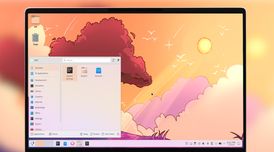 Plasma 6.8 beta adds Kup backups and expands Union theming
KDE Plasma 6.8 beta expands the Union theming system’s public tech preview to QtWidgets application...
- POX published news article about KDE Plasma
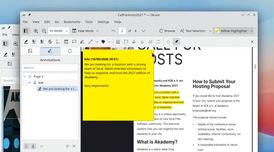 KDE Gear 26.08 brings improvements to Okular, Dolphin, Konsole, Kdenlive, Minuet, and more
KDE Gear 26.08 has been released, introducing updates across a wide range of applications developed...
- POX published news article about KDE Plasma
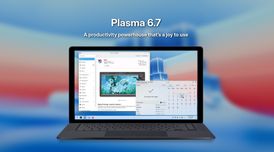 KDE Plasma 6.7 adds per-screen virtual desktops, Union theming system, and Wayland updates
KDE Plasma 6.7 introduces major enhancements for Unix-based platform users, including per-screen vi...


Recent activities
- aleislost liked KDE Plasma
- jo-breath liked KDE Plasma
- kootenay_eric liked KDE Plasma
- very_unfortunate liked KDE Plasma
The only linux Desktop Environment I ever used and am more than satisfied with. The last real issue I've had with KDE was 3 years ago, when I tried to add a widget to the Desktop and all of it went black and disappeared all icons on the desktop.
Among the greatest achievements in open source consumer-grade software
- gramblo353 liked KDE Plasma
- vv0wdr003f liked KDE Plasma
- elsenhe liked KDE Plasma
Featured in Lists

Spoiler: I've switched to Linux for my main computer, and [here's what I'm currently...

A list with 69 apps by willwm without a description.

Libre, therefore open-source powerful software.
What is KDE Plasma?
KDE Plasma Videos
KDE Plasma information
Developed by
 KDE
KDE Licensing
Open Source and Free product.Rating
Average rating of 4.7Alternatives
31 alternatives listedNews
33 news article related to KDE PlasmaBadge
Get an embeddable badge for KDE PlasmaSupported Languages


Comments and Reviews
I tried first time Linux a year ago. My first Linux (except of Android) was Ubuntu with Unity, I think this was v. 14... Yeah, my first Desktop Environment was been Unity... I removed Ubuntu on the same day. :D
Than I tried a Debian just servers for a long time. The time Linux Mint 17.02 was been released I tried my second Desktop Environment (Cinnamon). Cinnamon looks very nice, it really is easier for ex-win users. But Cinnamon used 15% of my CPU and in addition it was really buggy.( I mean it crashes for me every 2h.)
Than I tried out MATE. I wonder it look's so strange like Win2 winNT (never tried on of these). But MATE is working very well, and it is stable. Just I want something what isn't really hungry for resources AND looks good.
Yesterday I bump into KDE. Installed the 300 MB on my Linux Mint 17.3 and "WOW". It do not look like a Tablet like Unity, don't overheat my CPU like Cinnamon and is looks modern. I really want to know why you don't setup the feature for the Desktop Folder to default. Also why some windows looks the same like MATE.
Now my experience to these DE's. Unity: This DE is for Tablet's and 100% not for PC (and totally not for a gaming computer) MATE: Really powersaving, light DE, best for "Pentium 4". Cinnamon: This DE is a developing, and I think it will take time until it is really stable. KDE: It is really nice, but there is everywhere Add for KDE. I mean you just installed it and see everywhere a dammed letter "k". The most standart software is also different, you hasn't thunderbird like in every ether version of Linux Mint, no you have K-Mail.
Really recommend all of the desktop environments! Choose yourself, support Freedom!
[Edited by Translator5, January 24]
Multi monitor support sucks.
If you want to mirror a panel with your open windows and pinned launchers… well, that's not possible. You can't even copy it. You have to recreate it manually from scratch for every screen/display.
Really happy with this DE. It's modern. If you don't want it to look modern you can do that. If you don't want a top taskbar you can do that. If you want 7 separate taskbars across 3 monitors you can do that. If you want to integrate a calculator inside of your your system tray you can do that. It's infinitely customizable to a fault, it's familiar enough for a new user or a Windows refugee to understand fairly easily, complex enough to be able to customize it to every one of your sensibilities on a desktop, but without losing on being intuitive for a far less knowledgeable user to find their way on customization. Solid option. There's a reason it comes packaged in a lot of distros as default.
The only linux Desktop Environment I ever used and am more than satisfied with. The last real issue I've had with KDE was 3 years ago, when I tried to add a widget to the Desktop and all of it went black and disappeared all icons on the desktop.
Among the greatest achievements in open source consumer-grade software
it's pretty cool, looks like a chinese windows 11. but it got the flex man. my only problem is that it's pretty laggy on old computers, and it REALLY, but REALLY hates nouveau.
plasma is, in my opinion, the superior general-purpose desktop environment. very user-friendly, works just fine out-of-the-box, but can still be customized to almost no end with an intuitive UI. nothing short of the quality one can expect from a KDE product
Very powerful, but a bit boastful. Just like Gnome it comes with a lot of "bloatware" which they assume are the best pieces of software. In some cases they are, in some they aren't. Leave that up to the users, or create a minimal plasma install.
Not without the occasional bugs either.
Anyway, to not sound overly negative, it is infinitely better than any Microsoft product, and makes computers fun.