


Librera Reader
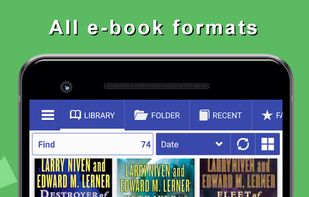
Librera Reader is a highly customizable and feature-rich application for reading books in PDF, EPUB, MOBI, DjVu, FB2, TXT, RTF, AZW, AZW3, HTML, CBZ, CBR formats on Android devices.

Cost / License
- Freemium
- Open Source
Application typeApplication types
 EU
EUPlatforms
- Android
- Android Tablet
- F-Droid
- OpenAPK


Features
Librera Reader News & Activities
Recent News
Recent activities
 ed-999 added Librera Reader as alternative to TypoZen
 POX added Librera Reader as alternative to Xepub
- c17s5qhu updated Librera Reader
 POX added Librera Reader as alternative to DinoReader
 mihai012 added Librera Reader as alternative to Garden Reads
- Farrukh added Built-in viewer as a feature to Librera Reader
Its UI is very professional. I like its book arrangements. However, one issue keep itching me, is that, when you want to Highlight or select a word, the Dialog to search in dictionaries, or text highliting is very annoying. It completely covers the word upon which you wanna act. This has to be addressed like the display of this dialog must not cover/hide the word which is being selected.
- Farrukh liked Librera Reader
 FantasyRead added Librera Reader as alternative to Fantasy Read
 ekaftnuocca10 added Librera Reader as alternative to LazyReader


Featured in Lists

## WHAT IS F-DROID ? F-Droid is an awesome app repository for FOSS (Free & Open Source Software) android apps....

Everytime I setup a phone for a friend or myself I usually remove stock apps using adb or...

Software, app, website that I use

What is Librera Reader?
Librera Reader information
Developed by
 Ivan Ivanenko
 Licensing
Open Source and Freemium product.Pricing
free version with limited functionality.Written in
Rating
Average rating of 4.9Alternatives
78 alternatives listedBadge
Get an embeddable badge for Librera ReaderSupported Languages

AlternativeTo Categories
News & Books, File Management, Office & Productivity, Education & Reference, OS & UtilitiesGitHub repository
- 4,824 Stars
- 445 Forks
- 528 Open Issues
- Updated


Comments and Reviews
Best EPUB and PDF reader for android. It's feature complete. You almost wish it was available for Windows too.
Its UI is very professional. I like its book arrangements. However, one issue keep itching me, is that, when you want to Highlight or select a word, the Dialog to search in dictionaries, or text highliting is very annoying. It completely covers the word upon which you wanna act. This has to be addressed like the display of this dialog must not cover/hide the word which is being selected.
There's no problem with opening most of the file formats, no crashes or smth else. BUT it really lack quality of life features. I used it mostly for PDF and DjVu, and reading these file formats doesn't feel comfortable. When changing pages, instead of return at the start of the page, is stands at the same place and you have to scroll each time to the start. It doesn't have auto-fit function, so you need to zoom each time to hide borders and make text larger. The page can be moved anywhere on the screen, instead of fixing it to the borders boundaries. I think among open source apps it's one of the best, as it opens a lot of file formats, but now I switched to ReadEra. It's just more comfortable to use. Maybe the only thing I now miss is custom interface color and background images P.s. make sure you download it from F-Droid, because the Google Play version has ads
While Librera has advanced features, it is also a very easy to use PDF viewer on Android. Once given permission, it finds PDFs in a jiffy. Even better than an easy link to Google Drive, once you set Sync option by scrolling down the 3-horizontal bar icon on the left side, your PDFs there show instantly.
Great functionality, format compatibility and has an F-Droid version.
tts continues to speak with the screen off. MoonReader+Pro cannot.
I love Librera as it gives me the smoothest format for my self-published eBook series!