

LinOffice
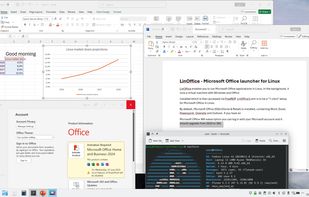
LinOffice enables you to run Microsoft Office applications in Linux. In the background, it runs a virtual machine with Windows and Office installed which is then accessed via FreeRDP. LinOffice's aim is to be a "1-click" setup for Microsoft Office in Linux.
Cost / License
- Free
- Open Source (AGPL-3.0)
Platforms
- Linux


LinOffice
Features
LinOffice News & Activities
Recent activities
- justarandom added LinOffice
- justarandom added LinOffice as alternative to LibreOffice, ONLYOFFICE, Microsoft 365 Copilot and Apache OpenOffice
LinOffice information
What is LinOffice?
LinOffice enables you to run Microsoft Office applications in Linux. In the background, it runs a virtual machine with Windows and Office installed which is then accessed via FreeRDP. LinOffice's aim is to be a "1-click" setup for Microsoft Office in Linux.
By default, Microsoft Office 2024 (Home & Retail) is installed, containing Word, Excel, Powerpoint, Onenote and Outlook. If you have a Microsoft Office 365 subscription you can log in with your Microsoft account and it should upgrade from 2024 to 365.
The project utilises Winapps, Dockur/Windows, FreeRDP, Podman, and Qemu. You can run LinOffice alongside WinApps - all the names and RDP ports have been changed to avoid conflicts between the two.
Features
Automatic non-interactive setup Run Microsoft Office apps as if they were native Linux apps Office apps have access to /home folder and Linux clipboard Run Publisher or Access, if manually installed by user Quickly access useful tools such as Powershell, Command Prompt, Windows Explorer, Registry Editor, Office Language Settings Run a full Windows session via RDP or VNC Automatic suspension of the Windows container when inactive, resume when starting an Office app Automatic deletion of Office lock files (like ~$file.docx) Force time sync in Windows after Linux host wakes up from sleep, to avoid time drift (time zone is always set to UTC for simplicity) Automatic detection of language, date format, thousand and decimal separator, currency symbol, keyboard layout etc Toggle settings such as display scaling, auto-suspend on/off, network on/off (to prevent Windows and Office from "phoning home") Circumvent geo-blocking for the Office installation Install updates for Windows and Office Tidy Quick Access pane in Windows File Explorer Automatically debloats Windows and disables telemetry and ads, using Win11Debloat Troubleshooting functions e.g. force cleanup of Office lock files, recreate .desktop files for the Office apps, reboot the Windows container, container health check

