


LiteLockr
3 likes
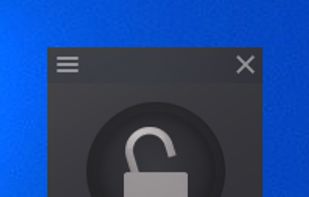
LiteLockr is easy to use and allows you to restrict input devices, so that your child can only use the programs you want them to.

Cost / License
- Free
- Open Source (GPL-3.0)
Platforms
- Windows


Features
LiteLockr News & Activities
Highlights All activities
Recent activities
 Pavel-Bashkardin added LiteLockr as alternative to Keyboard Blocker
- commented on LiteLockr
The latest (and archived as of Nov. 7th 2024) does have the feature to hide it.

LiteLockr information
Developed by
Max KolesnikovLicensing
Open Source (GPL-3.0) and Free product.Written in
Alternatives
12 alternatives listedBadge
Get an embeddable badge for LiteLockrSupported Languages

AlternativeTo Category
OS & UtilitiesGitHub repository
- 24 Stars
- 1 Forks
- 2 Open Issues
- Updated (Archived)


Comments and Reviews
The latest (and archived as of Nov. 7th 2024) does have the feature to hide it.
Works very well as described. İt would be wonderful if we could hide it (for example to the notification area) other than right side floating icon.
Agree. The tool looks great and modern and it works but would be great if it has been able to hide.