


LiveTranscribe
Like
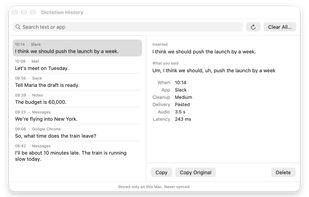
Private dictation for Mac: hold a key, speak, and clean, punctuated text is typed at your cursor in almost any app. Runs entirely on-device.

Cost / License
- Free
- Open Source (MIT)
Platforms
- Mac


Features
LiveTranscribe News & Activities
Highlights All activities
Recent activities
- Purinda-Gunasekara added LiveTranscribe
- POX updated LiveTranscribe
- Purinda-Gunasekara added No Tracking as a feature to LiveTranscribe
- Purinda-Gunasekara added Dictation as a feature to LiveTranscribe
- Purinda-Gunasekara added Local AI as a feature to LiveTranscribe
- Purinda-Gunasekara added No registration required as a feature to LiveTranscribe
 Purinda-Gunasekara added LiveTranscribe as alternative to Vibe Transcribe, FUTO Voice Input, OpenWhispr and Spokenly
LiveTranscribe information
Licensing
Open Source (MIT) and Free product.Written in
Alternatives
51 alternatives listedBadge
Get an embeddable badge for LiveTranscribeSupported Languages

AlternativeTo Category
AI Tools & ServicesGitHub repository
- 1 Stars
- 0 Forks
- 1 Open Issues
- Updated


No comments or reviews, maybe you want to be first?