


LunoDB
2 likes
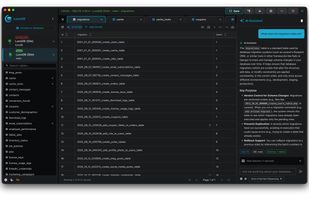
Modern, AI-powered database client supporting MySQL, PostgreSQL, SQLite, MariaDB, MongoDB, SQL Server, and Redis with voice dictation, multiple AI providers, and visual relationship diagrams.

Cost / License
- Freemium (Pay once)
- Open Source
Platforms
- Mac
- Windows
- Linux


Features

LunoDB News & Activities
Highlights All activities
Recent activities
- namdx1987 liked LunoDB
- Wierzciu liked LunoDB
 POX added LunoDB as alternative to Bobby for SQLite
- idevtim added LunoDB
 idevtim added LunoDB as alternative to TablePlus, DBeaver, phpMyAdmin and MySQL Workbench


LunoDB information
Developed by
 lunodb
 Licensing
Open Source and Freemium product.Pricing
One time purchase (perpetual license) ranging between $39 and $59 + free version with limited functionality.Alternatives
18 alternatives listedBadge
Get an embeddable badge for LunoDBSupported Languages
AlternativeTo Category
DevelopmentGitHub repository
- 5 Stars
- 2 Forks
- 0 Open Issues
- Updated


No comments or reviews, maybe you want to be first?
Featured in Lists

A list of open-source software containing slop (LLM generated) code or endorses the usage of LLMs in other ways. This...
List by Edgars with 139 apps, updated